Dog Walking & Pet Sitting Business Spreadsheet: Track Income, Mileage and Taxes
You did fourteen walks this week, two overnights and a boarding stay. Money landed — some from the app, some by Venmo, some in cash tucked under a fruit bowl. One client still owes you for a Tuesday. Another bought a ten-walk pack in June and you genuinely cannot remember how many they have left.
That is how most pet-care businesses run, and it holds together until one of three questions arrives: Am I charging enough? Why is there less money than it feels like there should be? What am I going to owe in April?
All three need the same thing — the events you already live through, written down once, doing arithmetic on themselves. Here is what to track, why each number matters, and a full worked month you can hold your own against.
The Nine Numbers a Pet-Care Business Runs On
Gross bookings is not one of them. It is the number that feels like progress and tells you the least, because between it and your bank account sit a platform cut, fuel, supplies and a tax bill nobody withheld for you.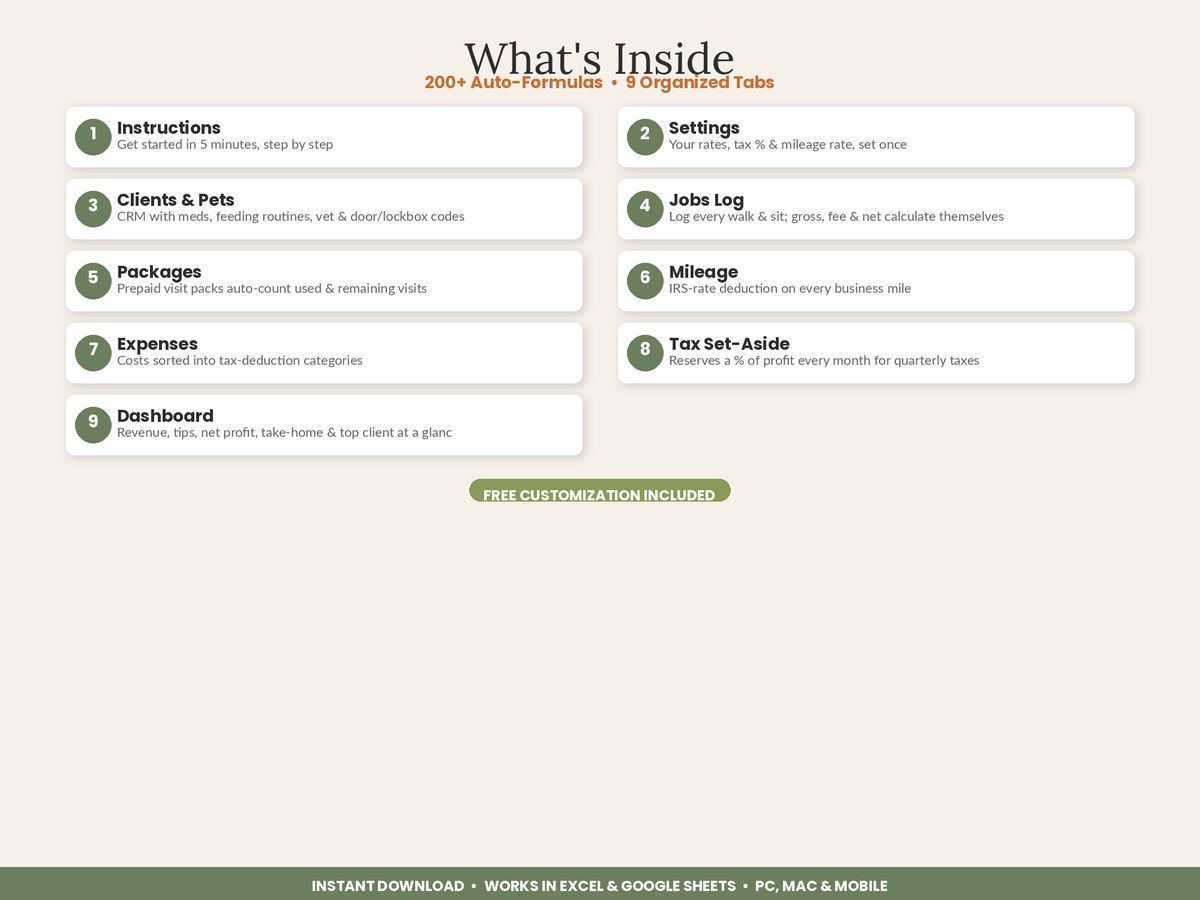
- Gross revenue — everything billed, before anything is taken out.
- Tips — separate, because they are income too and they move independently of your rates.
- Platform fees — the slice Rover, Wag or any booking app takes before you see it.
- Net earned per job — gross plus tip minus fee, the only figure that reflects reality.
- Business expenses — supplies, insurance, equipment, marketing.
- Business mileage — the deduction most walkers lose entirely.
- Unpaid balance — work you have done and not been paid for.
- Prepaid package liability — visits customers have bought and not yet used.
- Net profit and the tax reserve — what is actually left, and how much of it was never yours.
Eight of those nine calculate themselves if you log the raw events — jobs, tips, receipts, miles — as they happen. That is the whole case for a spreadsheet: you record facts once, and it produces the numbers.
The Sheets That Produce Them
Settings — the four cells that drive everything
Before any tab is useful, four values need to live in exactly one place: your tax set-aside %, your IRS mileage rate, your platform fee %, and a rate card for your services.
Putting them in one place is not tidiness, it is maintenance. The mileage rate changed mid-2026 — 72.5 cents per mile through June, 76 cents from July, per the IRS standard mileage rates. If that rate is typed into two hundred rows of a mileage log, a rate change is a two-hundred-cell edit. If it lives in one cell every row points at, it is one edit.
Check that cell today, by the way. Rate defaults go stale, and a sheet still calculating at last year’s rate quietly understates your deduction on every single mile.
Clients & Pets — a CRM, not a contact list
Names and numbers are a contact list. What makes it operationally useful are the columns you need at 6am on a Sunday when you are standing at a gate:
- Door / lockbox code
- Meds and special care — “Yuki: joint chew daily”, “ear drops 2x/day”
- Feeding routine — quantity and timing, in the owner’s words
- Vet and emergency contact
- Recurring or one-off
That last column is the business one. It splits your client book into a reliable base and a variable top, and the ratio between them is a stability score — more on that at the end.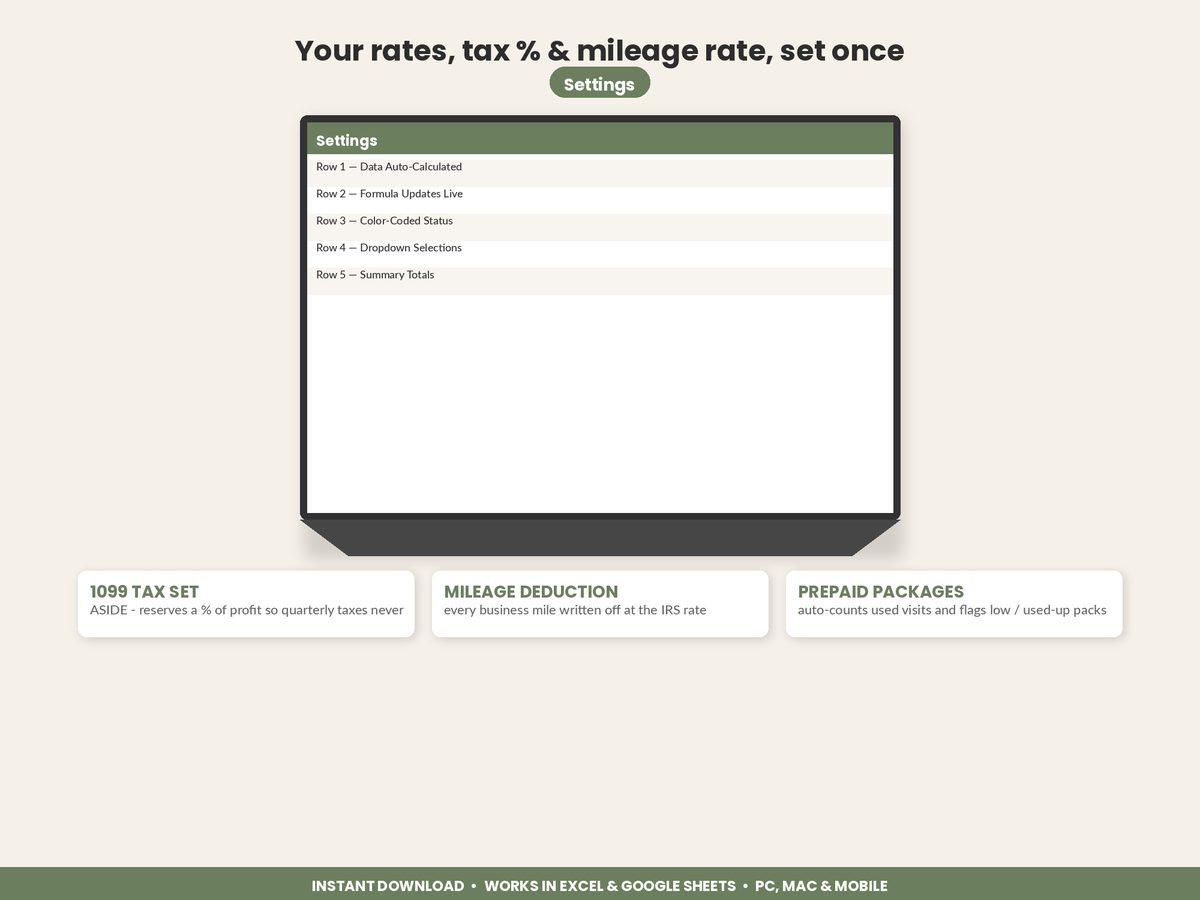
Jobs Log — the engine
One row per walk, drop-in, overnight, boarding night or daycare day. Date, client, service, quantity, rate. Everything else should be a formula:
| Column | What it does |
|---|---|
| Gross | Quantity × rate |
| Tip | Entered, not calculated |
| Platform fee | Gross × your fee %, or zero if booked direct |
| Net earned | Gross + tip − fee |
| Pay status | Paid / Unpaid, so overdue work is visible |
| Month / Year | Pulled from the date, so monthly totals build themselves |
Two habits make this tab work. Log the job the day it happens, not on Sunday night — reconstructing a week from memory is where tips and one-off extras vanish. And set the platform fee per job rather than as one lump at month end, so you can compare what an app-booked walk actually pays against a direct-booked one.
Packages — the money you have but have not earned
A prepaid pack is cash in your account and a promise on your books. The tab needs three things: visits purchased, visits used counted automatically from the jobs log, and visits remaining with a low-balance flag.
Counting used visits by hand is where this goes wrong. If the count comes from the jobs you have already logged, it cannot drift.
Mileage — small trips, real money
Date, purpose, miles. The rate comes from Settings, the deduction is miles × rate. Six miles to a walk feels like nothing. Four hundred miles in a month is worth about $304 in deductions at the second-half-2026 rate.
Expenses — categorised for tax, and one trap
Supplies, insurance, equipment, marketing, phone. One rule matters more than the categories: if your platform fees are already coming out per job in the jobs log, do not also enter them as an expense. Doing both subtracts the same money twice and makes your profit look worse than it is. Pick one place — per-job is the more useful one, because it tells you what each channel pays.
Dashboard and Tax Set-Aside
The dashboard should be arithmetic on the tabs above, not re-typed. The set-aside tab takes each month’s net profit, multiplies by your rate, and keeps a running reserve — so the number you must not spend is visible all year rather than a shock in January.
A Worked Month
A solo sitter, July, running walks and sits across a mixed book. Some work booked through an app at a 20% fee, some direct. Every figure below is arithmetic on the ones above it.
Jobs booked
| Service | Qty | Rate | Gross |
|---|---|---|---|
| Dog walk (30 min) | 44 | $20 | $880 |
| Dog walk (60 min) | 12 | $30 | $360 |
| Drop-in visit | 20 | $25 | $500 |
| Overnight sit | 6 | $75 | $450 |
| Boarding night | 8 | $45 | $360 |
| Total | 90 jobs | $2,550 |
From gross to net
| Line | Amount |
|---|---|
| Gross revenue | $2,550.00 |
| Tips | + $145.00 |
| Platform fees (20% on the $1,020 booked in-app) | − $204.00 |
| Net earned | $2,491.00 |
| Expenses — supplies $62, insurance $18, equipment $42, phone $15, marketing $25 | − $162.00 |
| Net profit (pre-tax) | $2,329.00 |
The tax and mileage layer
| Line | Amount |
|---|---|
| Business miles driven | 412 |
| Mileage deduction (412 × $0.76) | $313.12 |
| Net profit after the mileage deduction | $2,015.88 |
| Tax reserve at 25% of net profit | $582.25 |
| Estimated take-home | $1,746.75 |
| Average net per job | $27.68 |
Note what the mileage line does and does not do. It does not reduce the cash in your account — you already paid for the fuel out of the expenses and your own pocket. It reduces the profit you are taxed on. Reserving 25% of the pre-mileage figure ($582.25) rather than the post-mileage figure ($503.97) over-reserves by about $78, which is the direction you want to be wrong in.
Reading the Result
Four checks, once a month, in this order.
1. Is the recurring base growing? In this month, $1,740 of the $2,550 came from recurring clients — 68%. That ratio is the stability score. Above roughly 70%, each month starts mostly full and a quiet week is survivable. Below 50%, you are re-selling the business every month: the revenue can be identical while the work required to produce it is far higher, and one cancelled holiday leaves nowhere to fall back to. If revenue is climbing while the ratio falls, the growth is coming from one-offs, and the fix is converting your best occasional clients onto a schedule rather than chasing more of them.
2. What is the app costing you? $204 in one month is $2,448 a year. That is not automatically a bad deal — it is what you paid for clients you did not have to find. But it is only a good deal if you know the number. The full platform-versus-direct comparison, with the break-even in marketing hours.
3. What is stuck on Unpaid? That is your money in someone else’s account. A dashboard figure for outstanding balance turns “I think Taylor still owes me” into a number you can act on.
4. Is anyone’s package nearly empty? A client on their last visit is a rebooking conversation waiting to happen, and a pack that quietly ran out three weeks ago is a client who has drifted.
Where the Numbers Take You
Once a month of real data exists, the three opening questions become arithmetic.
Am I charging enough? Divide net earned by hours including drive time, and compare it against what you would accept. Most walkers are shocked the first time. The real hourly rate on a 30-minute walk, and the floor-price formula.
Where did the money go? Between gross and take-home sit the platform fee, expenses and tax. Which of those you can actually change, platform versus direct.
What can I write off? Mileage first, and it is bigger than most sitters assume. Which trips count, which are commuting, and a worked 5,800-mile year.
Should I sell packages? Only if the discount buys behaviour you would not otherwise get. The break-even on a ten-walk pack, and the balance you owe.
Start With One Month
You do not need a year of history. Build the client list first — twenty minutes, and it hands you your access codes and care notes in one place, which pays for itself the first time you are standing at a gate. Then log a single month of jobs, tips, receipts and miles.
One complete month gives you a real net-per-job figure and a real hourly rate, and those two numbers decide everything else: what to charge, which clients to keep, and whether the app is earning its cut.
Featured on ReadySheetGo
Dog Walking & Pet Sitting Business Tracker — $14.99
Nine tabs, built exactly as above. A Settings tab holds your tax set-aside %, IRS mileage rate, platform fee % and service rate card, and drives every other calculation. Clients & Pets stores meds, feeding routines, vet contacts and lockbox codes, and totals each client’s revenue automatically. The 200-row Jobs Log turns quantity and rate into gross, platform fee and net earned per job, tagged Paid or Unpaid. Packages count their own used and remaining visits from the Jobs Log and flag anything low. The Mileage Log converts trips to deductions at your rate, Expenses are categorised for tax, and the Tax Set-Aside tab reserves a slice of each month’s profit with a running balance. The Dashboard returns net profit, tax to set aside, estimated take-home, unpaid balance, recurring versus one-off revenue, average net per job, top client and busiest month.
Sample data is pre-filled so you can see it working — type over it with your own. Works in Excel and Google Sheets, no macros and no add-ons.
Get the Dog Walking & Pet Sitting Business Tracker →
This is general information, not tax advice — confirm your own position with a qualified tax professional.
Sources: IRS Standard mileage rates · IRS Self-employment tax
Frequently Asked Questions
What should a dog walking and pet sitting business spreadsheet track?
Nine things: a client and pet record with access codes and care routines, a job log with quantity and rate per visit, platform fees taken out per job, tips, paid versus unpaid status, prepaid package balances, business mileage, expenses by tax category, and a monthly profit and tax set-aside figure. The job log is the engine — if every walk, drop-in and overnight is logged with its rate, seven of the other eight numbers calculate themselves.
How much should a pet sitter set aside for taxes?
A common working placeholder for a self-employed sitter is 25% to 30% of net profit, because self-employment tax alone is 15.3% on 92.35% of net earnings — about 14 cents of every profit dollar — before any income tax at all. That is a placeholder, not a calculation: your real rate depends on your other income, filing status and deductions, so confirm it with a tax preparer. Reserving monthly rather than quarterly is what makes it survivable.
Do I need to log mileage if I only walk dogs a few miles from home?
Yes, and short trips are exactly where the deduction quietly adds up. In 2026 the business standard mileage rate is 72.5 cents per mile from January to June and 76 cents from July to December, so 400 business miles in a busy month is worth about $304 in deductions in the second half of the year. Log the date, miles, and the business purpose of each trip as it happens — the deduction is only as good as the record.
Is a spreadsheet enough, or do pet sitters need accounting software?
For a solo walker or sitter, a spreadsheet covers it — clients, jobs, fees, tips, packages, mileage, expenses and a profit and tax summary, with no monthly subscription. Accounting software starts earning its cost when you have payroll to run or employees to file for. What matters far more than the tool is that jobs get logged the day they happen rather than reconstructed from a bank statement in April.