How Much Does Employee Absenteeism Cost a Small Business? A Worked Calculation
Ask most owners what an absent day costs and you get the absent person’s daily wage. That answer is usually about 40% of the real figure, because it prices only the person who did not come in — not the person who covered them, and not the premium you paid to make that happen.
Here is the full calculation, worked on an eight-person team over one quarter.
Full walkthrough of the template used in this guide.
The Setup
Northgate Supply Co. Eight employees, invented but consistent. In Q1 2026 the team was scheduled 4,160 hours and lost 96 hours to unscheduled absence. The average wage across the team is $21.50.
Approved PTO is not in that 96. Planned leave is a cost you budgeted for and staffed around; absenteeism is the unplanned kind, and mixing them makes a well-run team look chaotic.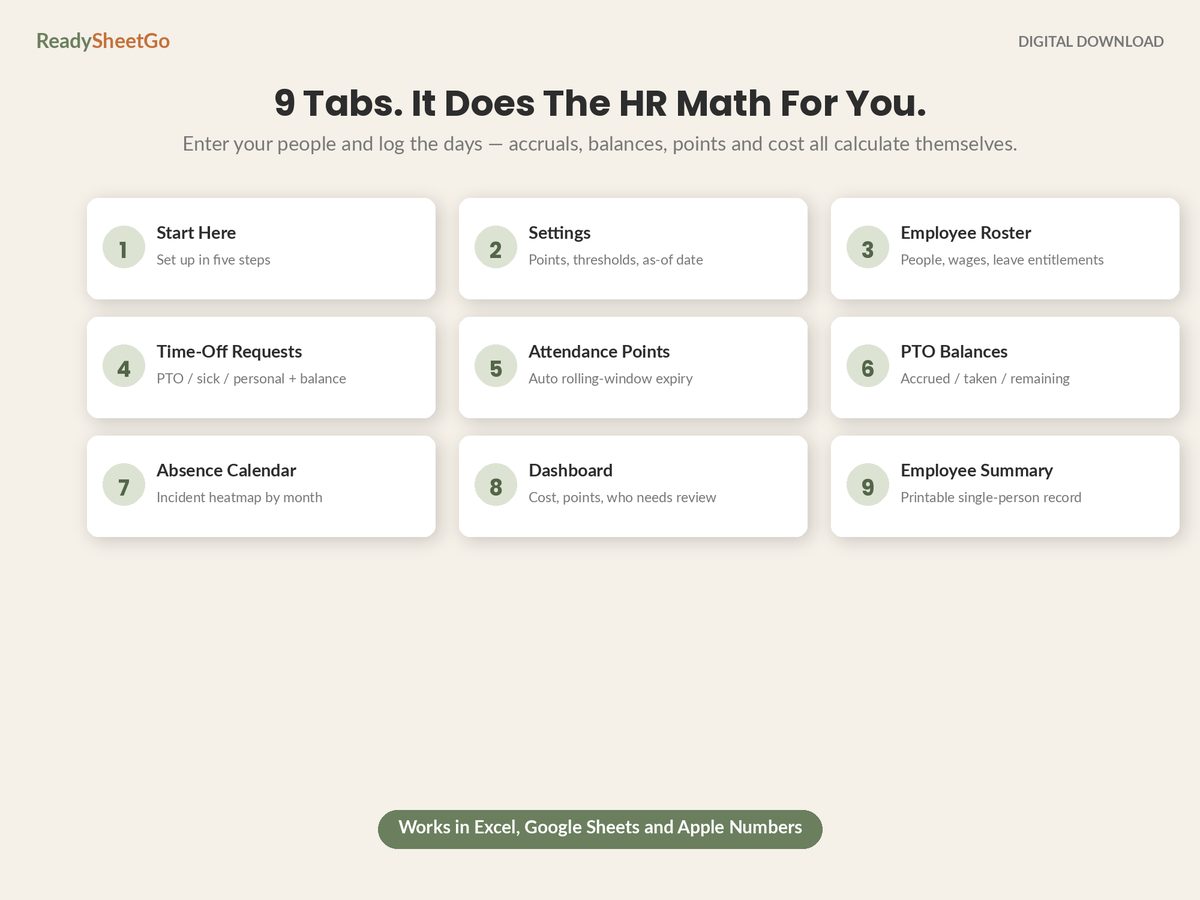
Absenteeism rate: 96 ÷ 4,160 = 2.3%
Hold that percentage for a second — on its own it sounds like nothing.
Part One: The Wage You Paid for Work You Did Not Get
Of the 96 lost hours, 64 were paid — sick leave, personal hours, and absences the policy covers. Those hours went out of the bank as wages against no output.
64 hours × $21.50 = $1,376
The other 32 hours were unpaid. Zero wage cost. This is where the intuitive calculation stops, and it has captured $1,376 of a number that is about to be two and a half times larger.
Part Two: The Cover — Usually the Bigger Half
72 of the 96 hours still had to be worked by somebody. Shifts had to be covered, a route had to be driven, the counter had to be staffed.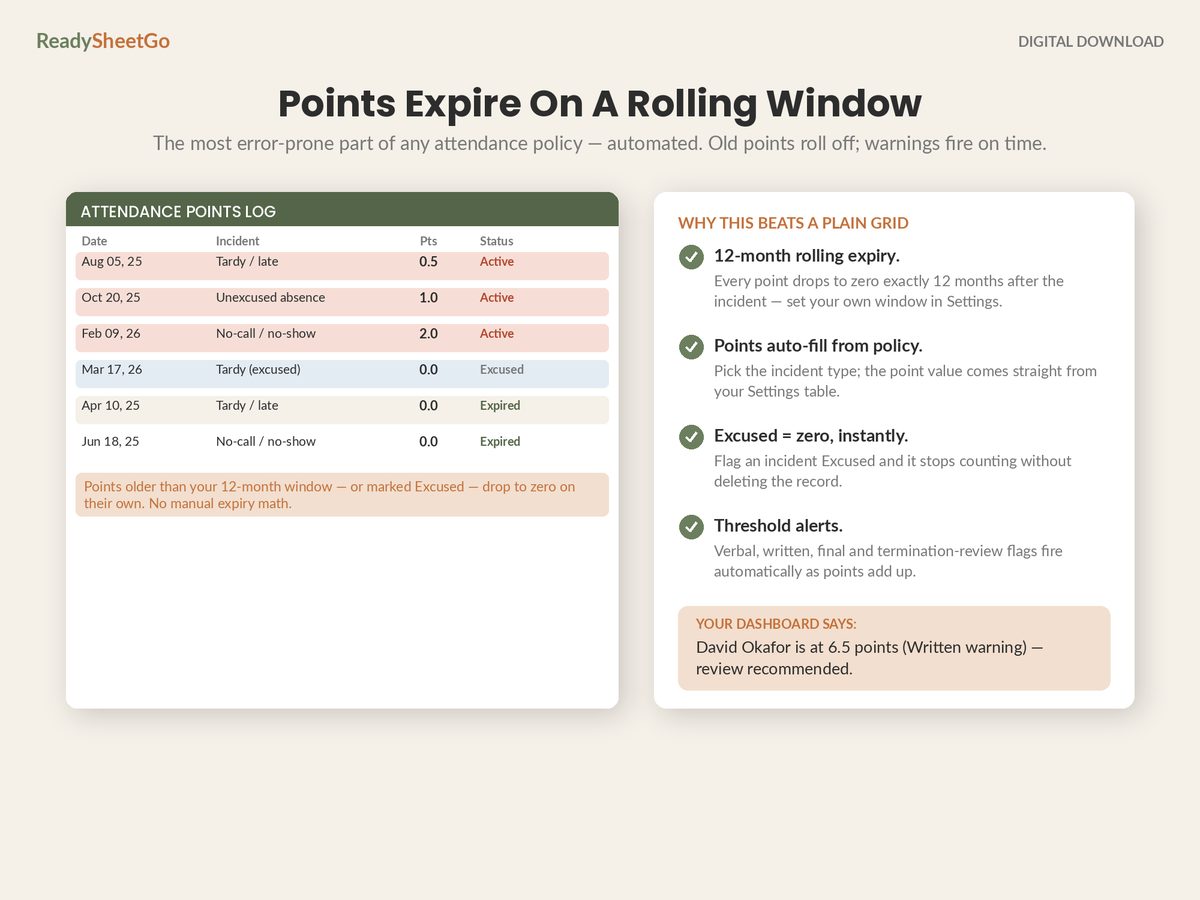
Of those 72 covered hours:
- 40 hours landed on people already at their 40-hour threshold, paid at time and a half: $21.50 × 1.5 = $32.25/hour
- 32 hours were absorbed by people with capacity left in the week, at straight time: $21.50/hour
| Cover | Hours | Rate | Cost |
|---|---|---|---|
| Overtime cover | 40 | $32.25 | $1,290 |
| Straight-time cover | 32 | $21.50 | $688 |
| Total cover | 72 | $1,978 |
$1,978 — more than the wages paid to the absent people themselves. Cover is 59% of the cash cost of absenteeism at this business, and it is entirely invisible in any calculation that only looks at who did not turn up.
The overtime line is where it concentrates. Forty hours of cover cost $1,290 where the same forty hours at straight time would have been $860. The $430 difference is pure premium — money spent solely because the absence landed on a week that was already full.
Part Three: The Hours Nobody Covered
24 hours were not covered at all. Nobody was paid for them, so there is no cash line — and that is exactly why they should be reported separately rather than converted into a dollar figure with an assumed margin.
State them as what they are: 24 hours of scheduled work that did not happen. Three full shifts. Whether that became a late delivery, a queue, or simply a longer day for everybody else is a question for whoever runs the floor, and it belongs in the conversation as hours, not as a modelled number that invites an argument about the model.
The Total
| Component | Cost |
|---|---|
| Wages paid for absent hours | $1,376 |
| Overtime cover | $1,290 |
| Straight-time cover | $688 |
| Total cash cost, Q1 | $3,354 |
| Uncovered scheduled hours | 24 hours |
$3,354 for the quarter. Roughly $13,400 annualised.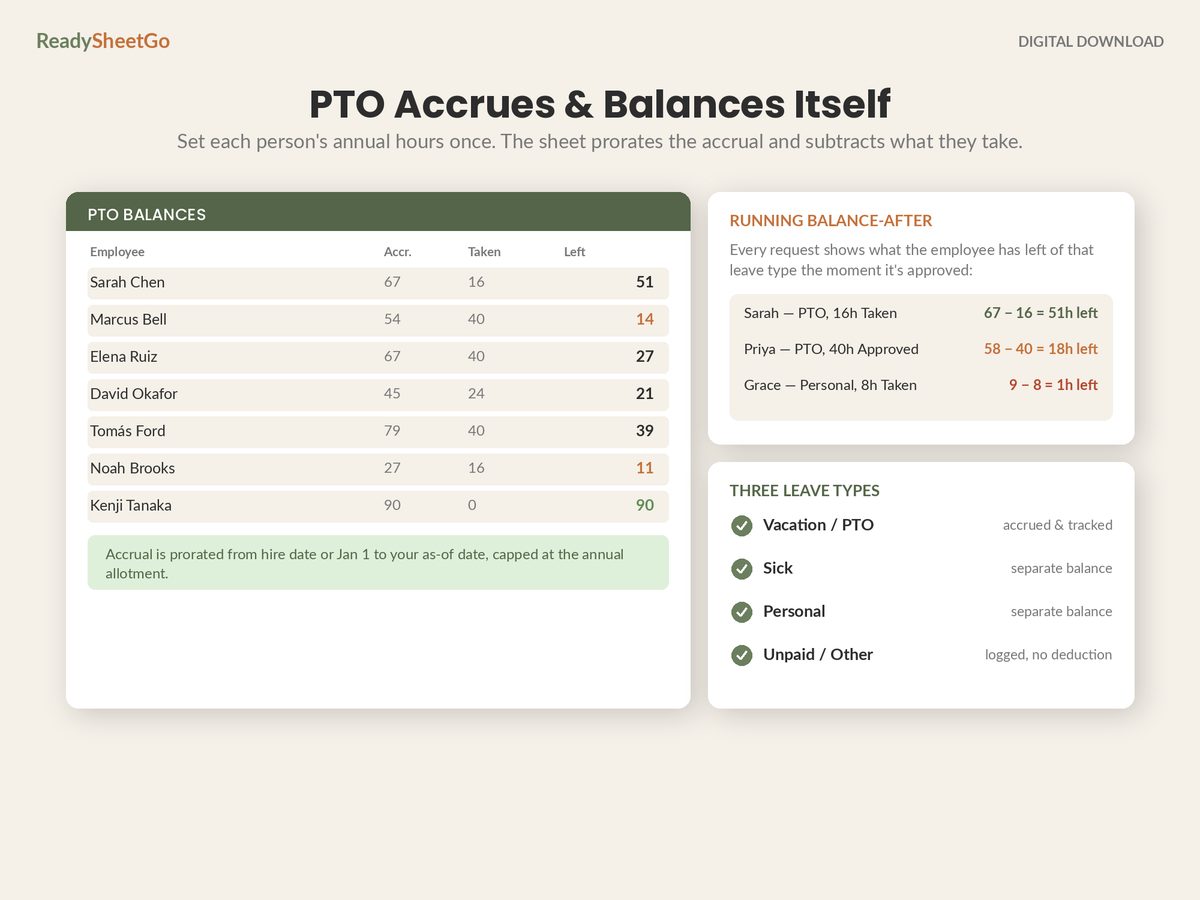
And the figure that actually changes how people think about it:
$3,354 ÷ 96 = $34.94 per absent hour
On a $21.50 average wage. Every absent hour costs 1.63× the wage rate — which means the intuitive estimate, “it costs us their pay,” understates it by 38%.
That 2.3% absenteeism rate from earlier is worth about $13,400 a year at an eight-person company. Percentages are easy to dismiss. Dollars are not.
Where It Actually Comes From
Aggregate numbers hide the useful finding. Broken down by person:
| Employee | Wage | Unscheduled hours | Share of total |
|---|---|---|---|
| Marcus Ellery | $23.50 | 32 | 33% |
| Tom Brennan | $19.00 | 24 | 25% |
| Nadia Osei | $19.75 | 16 | 17% |
| Dana Whitfield | $26.00 | 8 | 8% |
| Grant Sheppard | $19.00 | 8 | 8% |
| Amara Boateng | $21.00 | 8 | 8% |
| Lena Kowalczyk | $18.25 | 0 | 0% |
| Ruben Diaz | $23.50 | 0 | 0% |
Two people account for 58% of it. That is the normal shape, and it is the reason a company-wide absenteeism figure is a headline rather than an action. You do not have an attendance problem across eight people; you have a conversation to have with two.
Slice it by month and day of week as well. Absence that clusters on Mondays and Fridays is a different problem from absence spread evenly, and neither shows up in a quarterly total.
The Formulas
Four lines, reading from an incident log with hours, a paid/unpaid flag and a cover type:
Paid absence cost:
=SUMIFS(Log!$E:$E, Log!$F:$F, "Paid") * AVERAGE(Roster!$C:$C)

Better — at each person's own wage:
=SUMPRODUCT((Log!$F:$F="Paid") * Log!$E:$E *
            SUMIF(Roster!$A:$A, Log!$B:$B, Roster!$C:$C))

Overtime cover:
=SUMIFS(Log!$E:$E, Log!$G:$G, "OT cover") * AvgWage * Settings!$B$7

Absenteeism rate:
=SUM(Log!$E:$E) / Settings!$B$9
Settings!B7 is your overtime multiplier and B9 is total scheduled hours for the period.
The second version is the one worth building. Using each person’s own wage rather than the team average matters more than it looks: absence by your highest-paid employee costs 42% more per hour than absence by your lowest, and averaging that away hides which absences are expensive as opposed to merely frequent.
Two Ways to Get the Number Wrong
Counting approved PTO as absenteeism. It inflates the rate, buries the unplanned absence you could actually act on, and makes a team that books its holidays properly look worse than one that calls in sick.
Pricing cover at straight time. If cover routinely lands on someone already at 40 hours, the premium is a real and recurring cost, and leaving it out removes the single strongest argument for fixing the underlying pattern. It is also the piece most likely to grow: as absence concentrates on a shrinking pool of willing coverers, more of it arrives as overtime.
The Thing Worth Remembering
An absent hour is bought twice — once from the person who did not work it and once from the person who did — and the second purchase is often at time and a half.
Track the hours, the paid/unpaid split, the cover type and each person’s own wage, and the cost calculates itself every quarter with no extra work. Then put the dollar figure next to the attendance points, because a points column reads as paperwork and a cost column reads as a business number.
The full tracker build — accruals, requests, balances and an attendance-point log that expires itself — is here, and it is where the absence cost line comes from.
Featured on ReadySheetGo
Employee PTO, Attendance & Absence Point Tracker — $18.99
Nine ready-built tabs with 250+ formulas already written and tested, and twelve sample employees pre-filled so the cost arithmetic is running before you type anything.
The workbook puts a number on absence: hours lost multiplied by each person’s own wage rate, totalled for the company and broken down per employee — so you can see immediately that a handful of people usually account for most of it. The Dashboard returns active attendance points, who is over a threshold, PTO taken, estimated absence cost and your absenteeism rate in one view. The Absence Calendar heatmaps incidents by employee and by month, so Monday clusters and bad quarters surface without anyone hunting for them.
The Attendance Points tab is the incident log behind it: point values auto-fill from your Settings tab, and old or excused points expire to zero on their own across a rolling twelve-month window you control, with verbal, written, final and termination-review flags firing automatically. The Employee Roster holds wages, hire dates and annual entitlements; PTO Balances returns accrued, taken and remaining for PTO, sick and personal leave separately; Time-Off Requests logs every request with status and a running balance-after preview so approved leave never gets confused with unscheduled absence. Employee Summary prints a full single-employee record for a review meeting.
Nothing is password-locked — every formula is visible and editable, including the overtime multiplier and the cost assumptions. Works in Excel, Google Sheets and Apple Numbers. No macros, no add-ons, no per-seat subscription.
Get the Employee PTO, Attendance & Absence Point Tracker →
Frequently Asked Questions
How do you calculate an absenteeism rate?
Unscheduled absence hours divided by total scheduled hours, for the same period and the same group of people. Eight people scheduled 4,160 hours in a quarter and losing 96 of them to unscheduled absence is 96 ÷ 4,160 = 2.3%. Two rules keep the number honest: exclude approved leave, because planned PTO is not absenteeism and including it makes a well-run team look terrible, and use scheduled hours rather than contracted hours so part-timers are weighted correctly.
Does a paid absence cost more than an unpaid one?
It costs one more component, not double. A paid absence means you pay the absent person's wage and, if the shift still has to be covered, you also pay whoever covers it — so the same hour is bought twice. An unpaid absence removes the first of those but not the second, and the cover is often the more expensive half because it frequently lands on someone already near their overtime threshold. In the worked example below, cover accounts for roughly 59% of the total cash cost.
Should I include lost productivity in the cost?
Keep it as a separate line rather than folding it into the cash figure. Wages paid and overtime premiums are amounts that genuinely left your bank account and can be tied to payroll records; lost output is a modelled estimate that depends on assumptions about margin and whether the work was recovered later. Mixing them produces a single dramatic number nobody trusts. Two numbers — cash cost, and uncovered hours stated as hours — are far more persuasive because both can be checked.
What is a normal absenteeism rate?
Published benchmarks vary widely by industry, region and how each survey defines an absence, so treating any single headline figure as a target is unwise — a warehouse and an accounting practice are not measuring the same thing. Your own trend is the more useful comparison: calculate the rate the same way every quarter and watch the direction, and break it down by employee, by month and by day of the week, because a rate that looks acceptable in aggregate is often two people and every Monday.