How to Calculate PTO Accrual Per Hour Worked (With the Rate Table)
The question arrives in a very specific form: we give people ten days a year, so how much is that per pay period, and what do I do about the person who works Tuesdays and Thursdays?
Both halves have the same answer, and it is one division sum done once.
Full walkthrough of the template used in this guide.
The Core Division
A full-time year is 2,080 hours — 40 hours a week, 52 weeks. Your accrual rate per hour worked is the annual entitlement divided by that:
accrual rate = annual PTO hours ÷ 2,080
Ten days at eight hours is 80 hours, so 80 ÷ 2,080 = 0.03846 hours of PTO earned for every hour worked. Work a normal 80-hour fortnight and you have earned 3.08 hours of leave.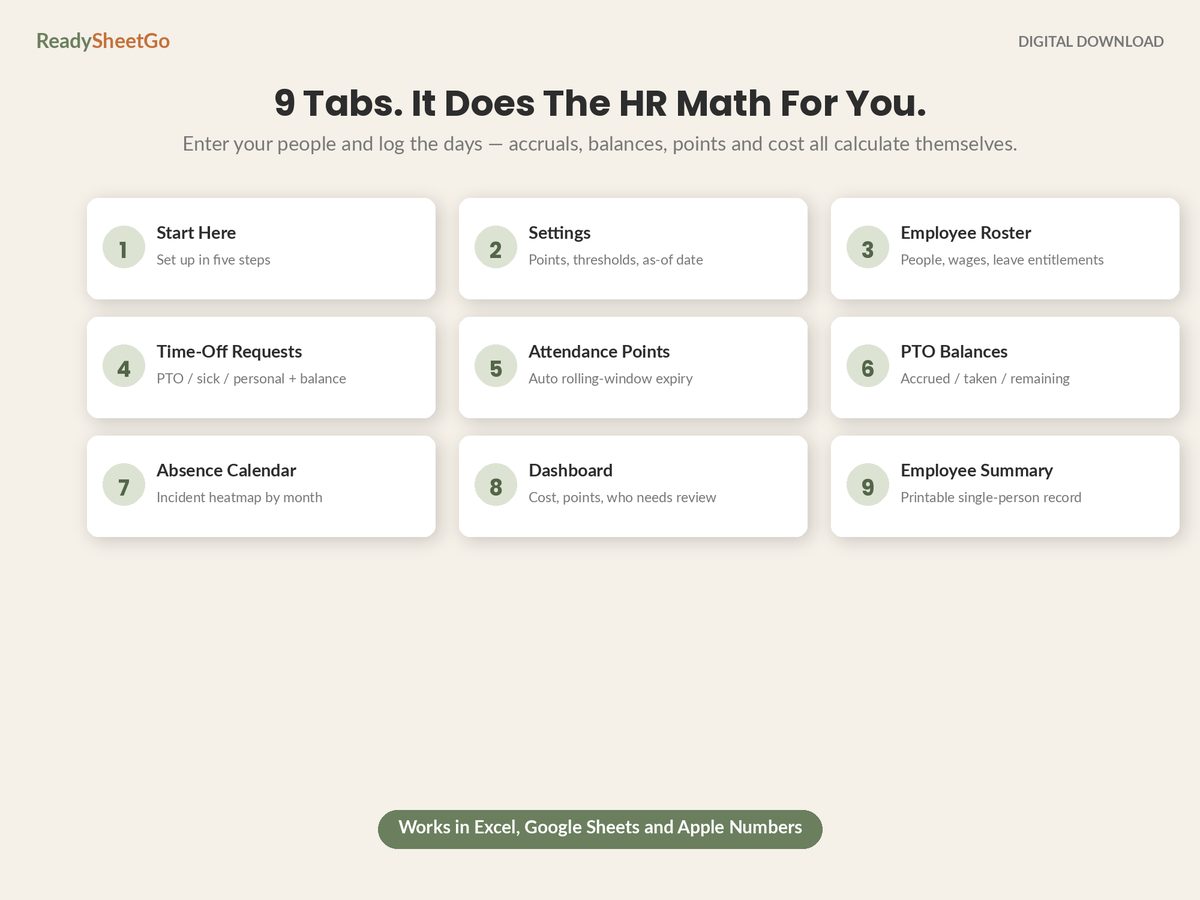
That number is the whole system. Everything else in this article is the same figure wearing different clothes.
The Rate Table
Find your annual entitlement in the left column and read across to whatever your payroll cycle happens to be.
| Annual PTO | Per hour worked | Per week | Per biweekly | Per semi-monthly | Per month |
|---|---|---|---|---|---|
| 40 hrs (5 days) | 0.01923 | 0.769 | 1.538 | 1.667 | 3.333 |
| 80 hrs (10 days) | 0.03846 | 1.538 | 3.077 | 3.333 | 6.667 |
| 120 hrs (15 days) | 0.05769 | 2.308 | 4.615 | 5.000 | 10.000 |
| 160 hrs (20 days) | 0.07692 | 3.077 | 6.154 | 6.667 | 13.333 |
The denominators, so you can extend the table to any entitlement you like: divide the annual hours by 2,080 for per-hour, 52 for weekly, 26 for biweekly, 24 for semi-monthly and 12 for monthly.
The trap in that table is biweekly versus semi-monthly, and it catches people every year. Biweekly is 26 pay periods; semi-monthly — the 15th and the last day of the month — is 24. They feel like the same thing and they are not. Divide 80 hours by 26 to get 3.077, then pay it out on a semi-monthly cycle 24 times, and each employee finishes the year 6.7 hours short. Do it the other way round and you have given away an extra day per person per year without noticing.
Why Per-Hour Beats Per-Period
Per-pay-period accrual gives everybody the same flat amount every payday. That is fine right up until your team stops being uniform, which for most small businesses is about employee number four.
Run the same policy — 80 hours a year — through both methods on a mixed team: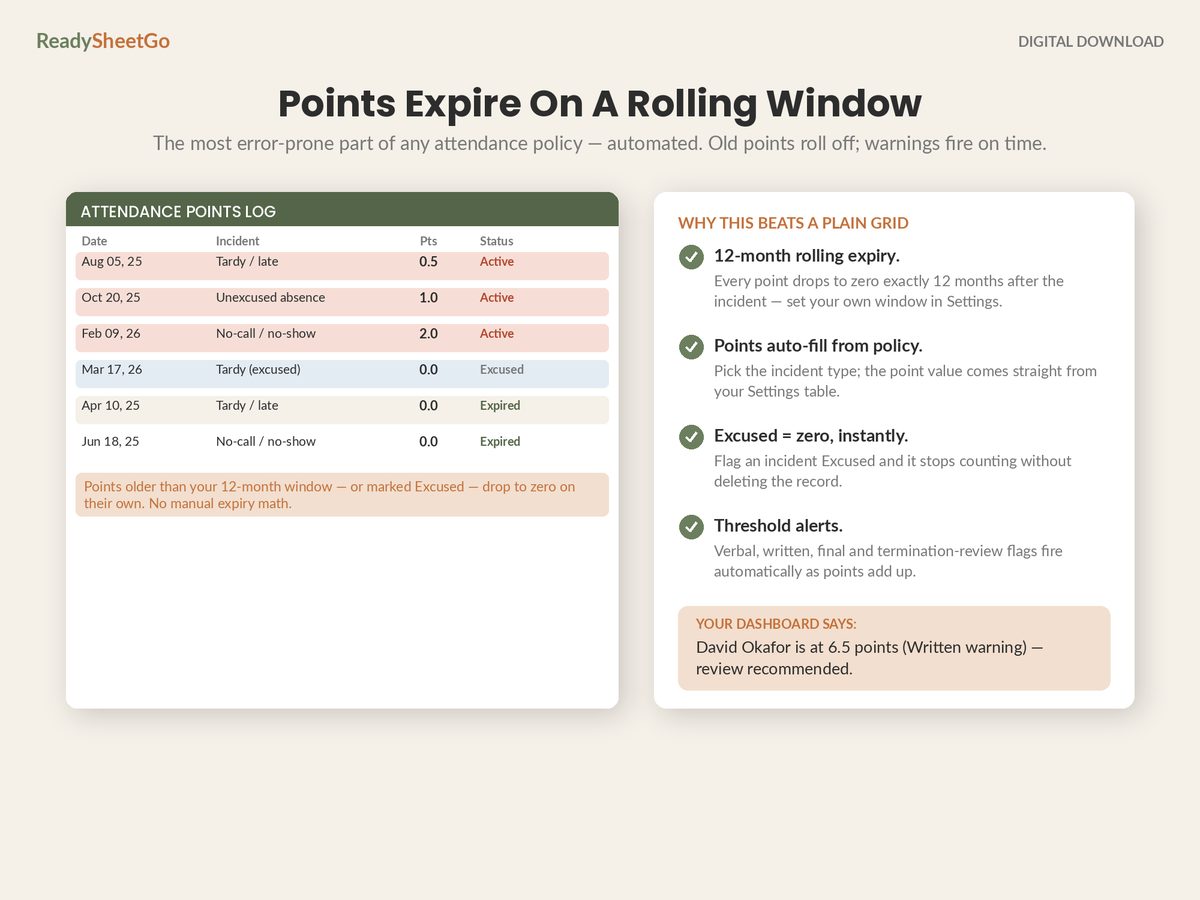
| Employee | Schedule | Hours/year | Per-hour accrual | Flat per-period accrual |
|---|---|---|---|---|
| Dana | Full-time, 40 hrs | 2,080 | 80.0 hrs | 80.0 hrs |
| Lena | Part-time, 24 hrs | 1,248 | 48.0 hrs | 80.0 hrs (or a separate policy) |
| Grant | Full-time, 40 hrs | 2,080 | 80.0 hrs | 80.0 hrs |
| Ruben | Hired 2 Feb | 1,904 | 73.2 hrs | 73.3 hrs (after manual proration) |
Lena’s 48 hours is not a rule anyone wrote. It is 1,248 × 0.03846, and it lands at exactly 60% of full-time entitlement because she works exactly 60% of a full-time week. Under flat per-period accrual you either hand a 24-hour-a-week employee a full-timer’s leave, or you write and maintain a second policy with its own rate — and then a third when somebody works 32 hours.
Ruben is the same story from the other direction. He started on 2 February. Under front-loading, someone has to calculate eleven-twelfths of 80 and type 73.3 into a cell, and remember to do it again for the next hire. Under per-hour accrual he has simply worked fewer hours, so he has simply accrued less. There is no mid-year-hire formula because there is no mid-year-hire problem.
The Spreadsheet Formula
Two cells on a settings tab — the annual entitlement and the accrual rate — then one formula per employee:
=MIN( Settings!$B$3,
      SUMIFS(Payroll!$C:$C, Payroll!$A:$A, $A2) * Settings!$B$5 )
Settings!B3 is the annual cap in hours, B5 is the rate, Payroll!C is hours worked and Payroll!A is the employee name.
The MIN is not decoration. Without a cap, someone who works a heavy overtime quarter accrues past their stated annual entitlement and you find out in December. With it, accrual stops cleanly at the number in your policy.
Derive the rate rather than typing it, too: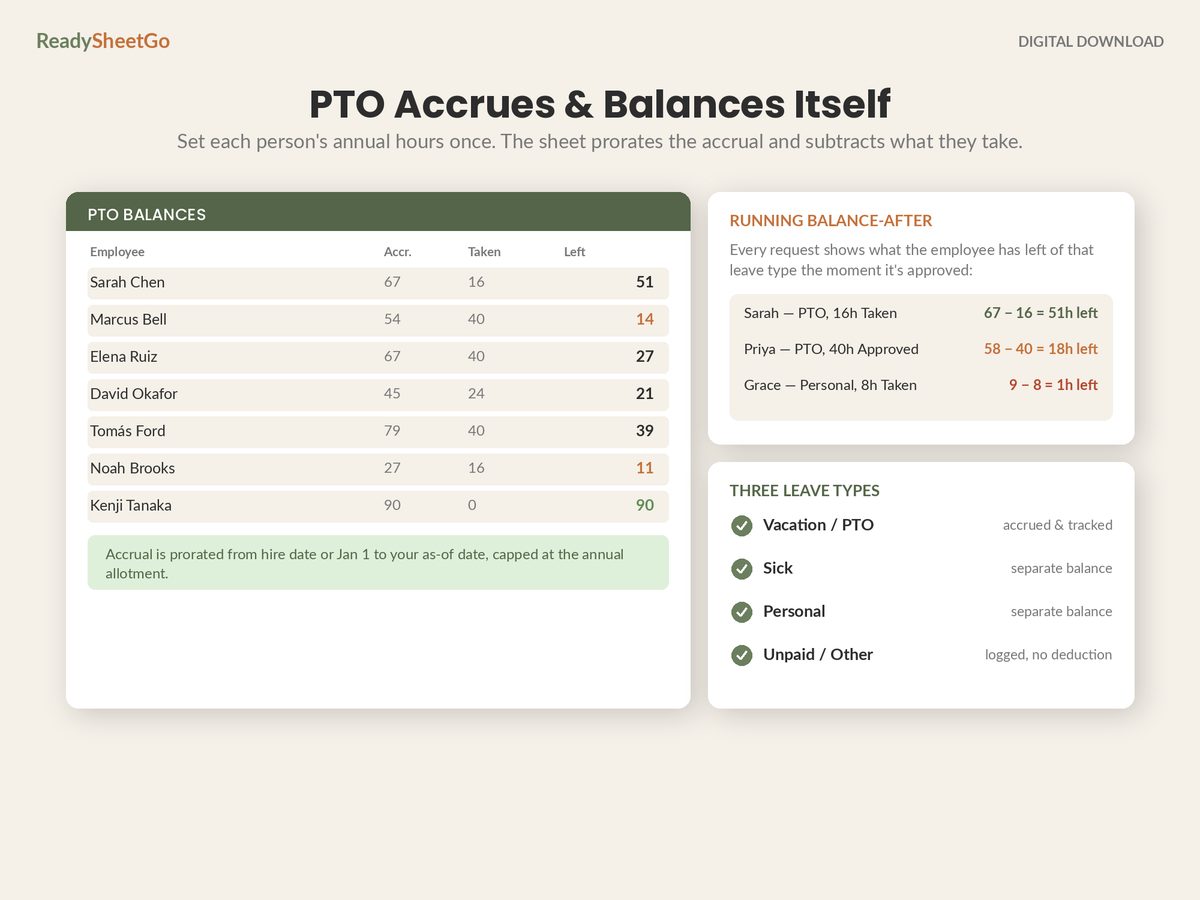
Settings!B5 =Settings!B3 / 2080
Now changing the entitlement from 80 to 120 on one cell re-rates the entire company, and there is no stale 0.0385 sitting in a formula somewhere contradicting the policy.
One thing to avoid: do not round the rate to two decimals. 0.04 instead of 0.03846 is a 4% error compounding across every hour anyone works — roughly 3.2 extra hours per full-time employee per year. Keep the full precision in the calculation and round only what you display.
Carryover, and Where the Cap Goes
Whatever you decide about rolling unused leave into the next year, the cap belongs in the accrual formula, not in a cleanup pass every January.
The common shapes:
- Use it or lose it. Balance resets to zero on 1 January. Simple, and restricted or banned in several states, so check before adopting it.
- Capped carryover. Up to some maximum rolls over — 40 hours is a frequent choice. Anything above the cap is forfeited.
- Accrual cap. Accrual simply stops once the balance hits a ceiling, often 1.5× the annual entitlement, and restarts when the balance drops. This is the version employees find fairest, because nothing is ever taken away — it just stops growing until you take a holiday.
The accrual-cap version is a one-line change: replace the annual cap in the MIN with Settings!$B$3 * 1.5 and let carryover simply be the balance that survives 31 December.
The Thing Worth Remembering
Divide the annual entitlement by 2,080 once. Store the result in a settings cell, derived rather than typed. Multiply it by hours actually worked and cap it with MIN.
That single expression handles full-time, part-time, mid-year hires, people who change their hours in June, and anybody working a short week — with no second policy, no proration entries, and no annual clean-up.
This is one layer of the full tracker: the complete build, with the request log, running balances and attendance points that expire themselves, is here.
Featured on ReadySheetGo
Employee PTO, Attendance & Absence Point Tracker — $18.99
Nine ready-built tabs with 250+ formulas already written and tested, and twelve sample employees pre-filled so you can watch the accrual arithmetic work before you type a thing.
The Settings tab holds your company details, the as-of date, your point values and your disciplinary thresholds — and every other tab reads from it. The Employee Roster holds wages, hire dates and separate annual entitlements for PTO, sick and personal leave, with accrual prorating from the hire date automatically. PTO Balances returns accrued, taken and remaining for all three leave types for every person on the team, so a part-timer and a February starter come out right without a second policy.
Time-Off Requests logs every request with approved / pending / denied status and a running balance-after preview, so you can see what approving a request does to the balance before you approve it. The Attendance Points tab logs incidents and expires old or excused points to zero on their own across a rolling twelve-month window you control. The Absence Calendar heatmaps incidents by employee and month. The Dashboard returns active points, who is over a threshold, PTO taken, estimated absence cost and your absenteeism rate, and Employee Summary prints a clean single-employee record for a review meeting.
Nothing is password-locked — every formula is visible and editable, so you can change the accrual rate, the cap or the carryover rule to match your own policy. Works in Excel, Google Sheets and Apple Numbers. No macros, no add-ons, no per-seat subscription.
Get the Employee PTO, Attendance & Absence Point Tracker →
Frequently Asked Questions
What is the PTO accrual rate for 80 hours a year?
0.0385 hours of PTO per hour worked, which is 80 divided by 2,080 — the hours in a standard 40-hour, 52-week year. On a weekly payroll that is 1.538 hours per period, on biweekly 3.077 hours, on semi-monthly 3.333 hours and on monthly 6.667 hours. Those four figures are all the same entitlement expressed against a different denominator, so never mix them: dividing by 26 and paying it 24 times a year quietly hands out an extra 6.7 hours per person.
Does per-hour accrual automatically prorate part-time staff?
Yes, and that is the main reason to use it. Someone working 24 hours a week accrues 24 × 0.0385 = 0.92 hours a week, which lands at 48 hours a year against a full-timer's 80 — exactly 60%, exactly their share of a full-time week. You do not write a part-time policy, a part-time rate or a part-time formula, and somebody who moves from 30 hours to 40 hours in June starts accruing at the higher amount the same week, with no adjustment entry.
Should overtime hours accrue PTO?
That is a policy choice, and whichever way you go, write it down before it comes up. If overtime accrues, someone working a heavy quarter can earn noticeably more leave than their stated annual entitlement, which is why an annual cap in the formula matters — MIN(cap, hours × rate) stops the number running away. If overtime does not accrue, the formula sums only hours up to the weekly threshold. Most small employers cap accrual at the annual entitlement and let everything below the cap accrue, because it is the simplest rule to explain.
Is front-loading PTO better than accruing it?
Front-loading is simpler to communicate and better for employees, who have the full balance available in January rather than earning it through the year. The costs are that a mid-year hire needs manual proration, a leaver in February may have taken leave they never earned, and your leave liability is at its maximum on 1 January. Accrual spreads the liability and self-prorates but means nobody can take a two-week holiday in March. Some states also restrict clawing back front-loaded leave, so check your own rules before choosing.