How to Document Shared Child Expenses for Mediation (The One-Page Summary)
At some point someone else may need to read your records — a mediator, an attorney, occasionally a court. And the thing that determines how useful they are is not how much detail you kept. It is whether a stranger can pick up one page and understand the position in ninety seconds.
Most people have the opposite: a folder of receipts, a long spreadsheet, and no summary. So the reviewer ends up doing the summarising, which takes time you are paying for and produces a version of events you did not write.
Full walkthrough of the template used in this guide.
Here is what to build instead, worked on the six-month example used throughout this cluster.
A note before the detail: this is about organising your own records so they can be read. It is not legal advice, it does not interpret your custody order, and what is required or persuasive where you live is a question for your own attorney or mediator.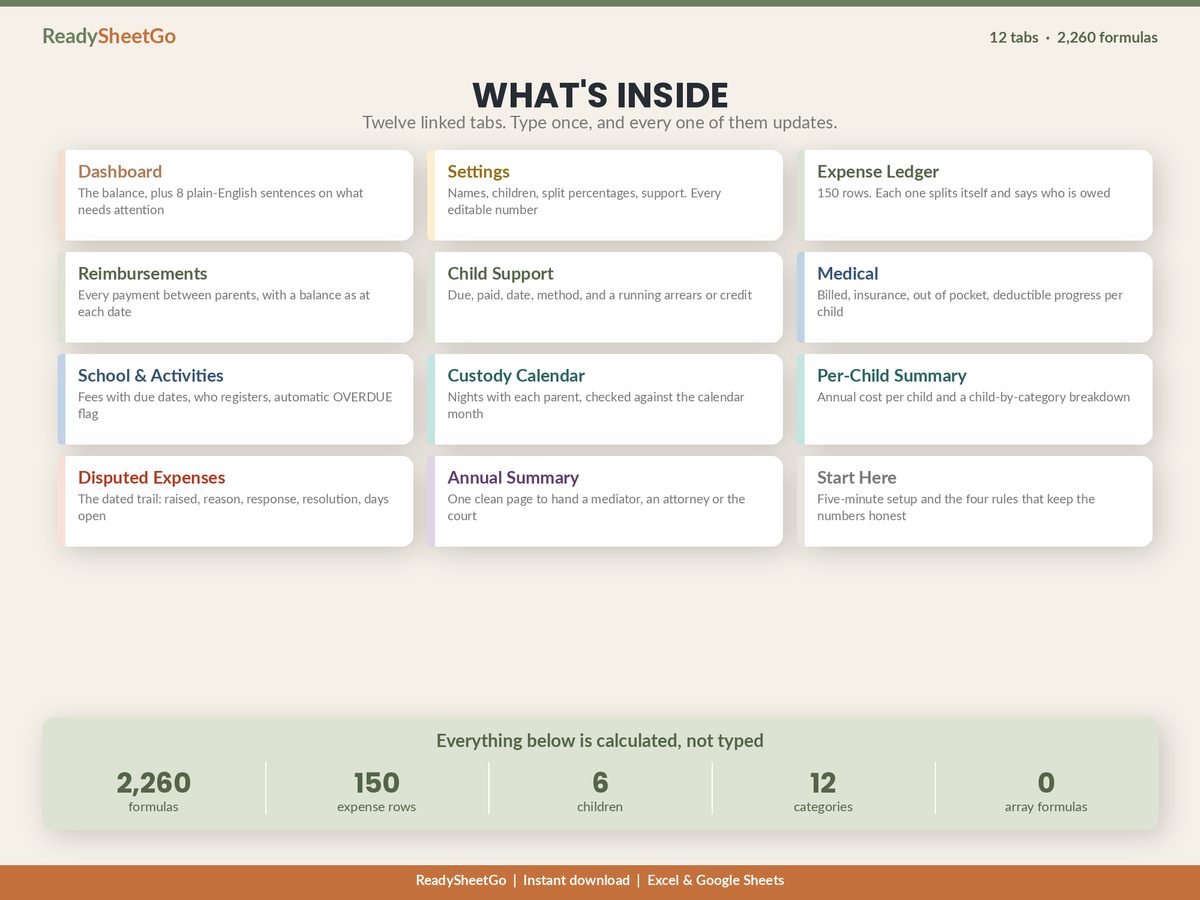
What Makes a Record Strong
Four properties, and they have little to do with formatting.
Contemporaneous. Entered close to the event it describes. A ledger kept as things happened is a record; one assembled the week before a meeting is a reconstruction, and the difference tends to be visible.
Consistent. The same arithmetic applied to every line. If childcare splits 60/40, it splits 60/40 on every childcare row including the ones that suit you less. A single inconsistency invites a reviewer to check all of them.
Corroborated. Receipts and bank records behind the material items, referenced from the row rather than living in a separate unsorted folder.
Conservative. Contested items excluded from the claimed total and shown separately. A number that visibly under-claims is treated very differently from one that has to be audited.
The Eight Columns
Every one of those properties comes out of the ledger structure. Eight columns, and you can build the rest from them: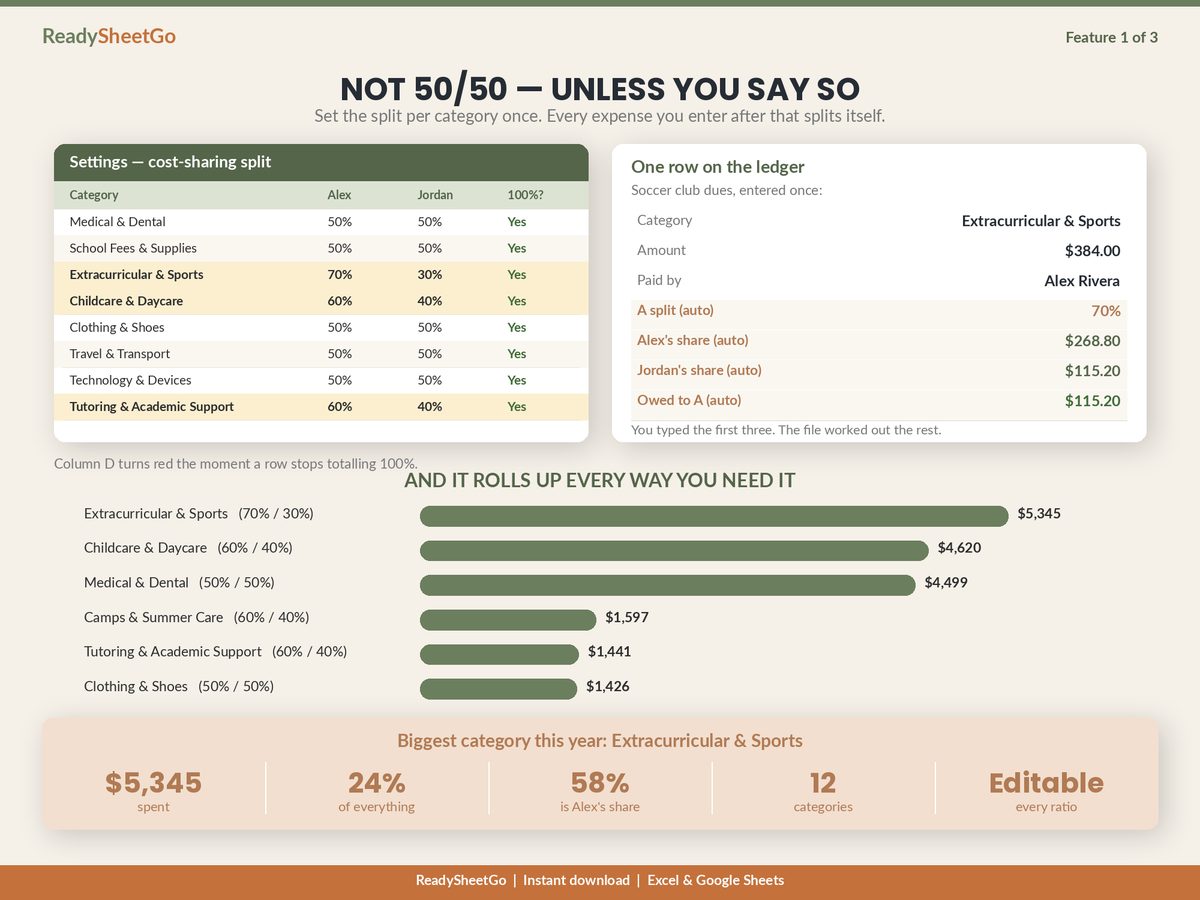
| Column | Why a reviewer wants it |
|---|---|
| Date | Establishes the record is contemporaneous and orders everything |
| Item | What it was, in plain language, not a category code |
| Child | Lets you produce a per-child figure, which agreements get reviewed against |
| Category | Determines which split ratio applies |
| Amount | — |
| Paid by | The whole record is meaningless without it |
| Status | Agreed / Pending / Disputed — controls what reaches the total |
| Receipt ref | Where the document is, for anything over your threshold |
The two share columns are formulas off the category. Add a ninth column only if you are prepared to maintain it on every row forever.
The One-Page Summary
This is the deliverable. Everything on it is derived from the ledger and the payment log — nothing here is typed.
Shared Child Expense Summary
Parents: Maya Okafor and Daniel Reyes Children: Sofia (11), Theo (7) Period: 1 January 2026 – 30 June 2026 Prepared: 30 June 2026
Totals
| Maya | Daniel | Total | |
|---|---|---|---|
| Agreed expenses paid out of pocket | $1,663.00 | $7,029.00 | $8,692.00 |
| % of total paid | 19.1% | 80.9% | 100% |
| Responsibility under agreed split ratios | $4,919.30 | $3,772.70 | $8,692.00 |
| % of total responsibility | 56.6% | 43.4% | 100% |
| Reimbursements paid to other parent | $2,600.00 | $0.00 | $2,600.00 |
Outstanding balance: Maya owes Daniel $656.30.
Excluded from the above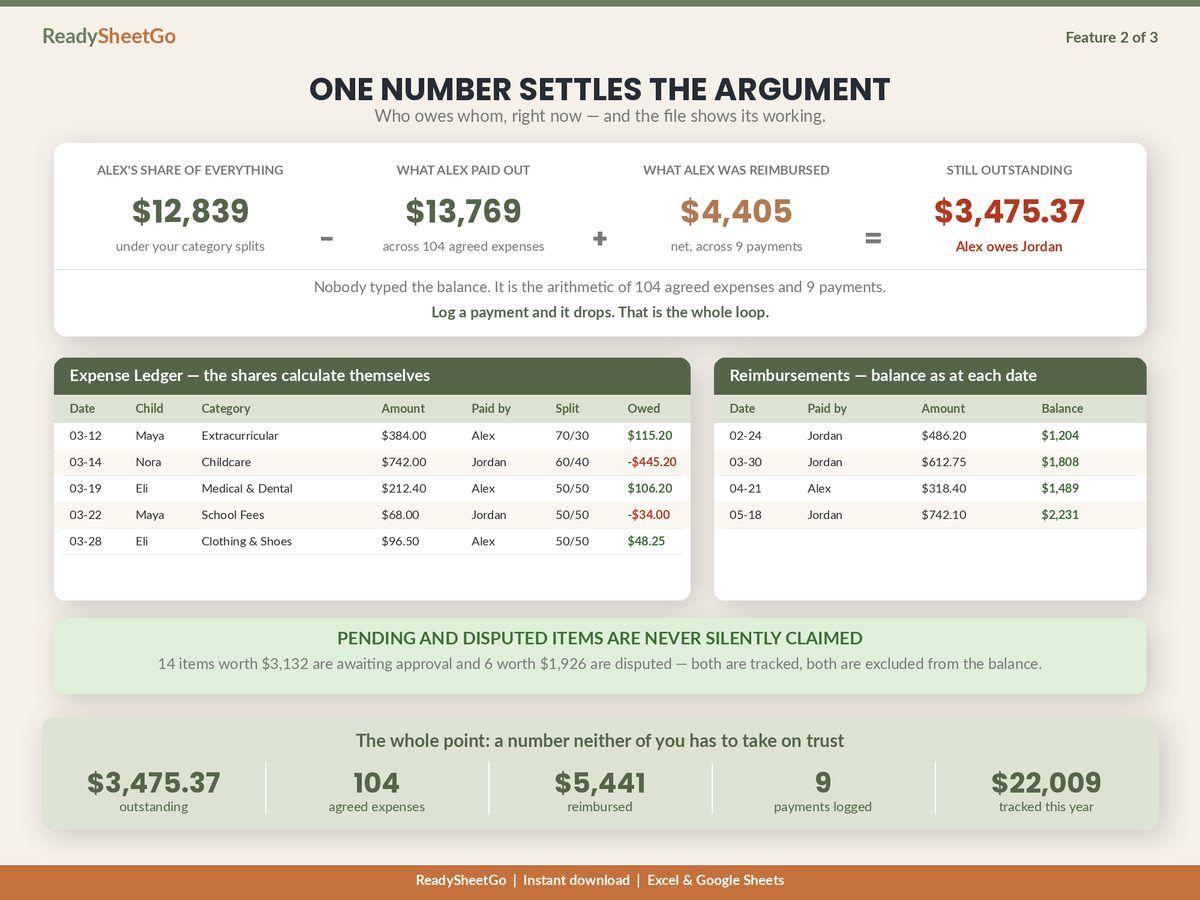
| Count | Value | Reason | |
|---|---|---|---|
| Disputed | 1 | $420.00 | Not within agreed categories — raised 02 Jun, unresolved |
| Pending | 1 | $180.00 | Awaiting response — raised 16 Jun |
By category
| Category | Split | Total |
|---|---|---|
| Childcare | 60 / 40 | $3,905.00 |
| Medical & dental | 50 / 50 | $3,450.00 |
| Extracurriculars | 70 / 30 | $914.00 |
| School fees | 50 / 50 | $275.00 |
| Clothing | 50 / 50 | $148.00 |
| $8,692.00 |
By child (shared costs apportioned evenly)
| Child | Direct | Share of joint | Total |
|---|---|---|---|
| Sofia | $3,305.00 | $2,042.50 | $5,347.50 |
| Theo | $1,302.00 | $2,042.50 | $3,344.50 |
| $8,692.00 |
Parenting time: 181 nights in period — Maya 99 (54.7%), Daniel 82 (45.3%).
Records available on request: expense ledger (16 rows), reimbursement log (3 payments), dispute log (1 open item), receipts for all items over $100.
Signed: ___ Date: __ Signed: ____ Date: ___
That is the whole thing. Two people can read it, disagree about one line, and still be looking at the same numbers — which is roughly the most a document like this can achieve, and it is a great deal more than a folder of receipts achieves.
Why the Exclusions Line Does the Heavy Lifting
It is counter-intuitive, but the most persuasive row on that page is the one where you give something up.
Stating plainly that $600.00 of spending exists which you are not claiming, with the reason and the date it was raised, does two things at once. It tells the reader the remaining $8,692.00 has been treated conservatively, so they do not need to check it line by line. And it pre-empts the other parent’s strongest move, which is to find one overreaching item and use it to cast doubt on everything else.
A total that quietly includes contested items is not stronger. It is just a total that has not been challenged yet.
The Dispute Log
Disputes are the part reviewers ask about, and a screenshot of a text thread is a poor answer. Six columns, maintained as things happen:
| Field | Example |
|---|---|
| Date raised | 02 Jun 2026 |
| Raised by | Daniel |
| Item | Sofia phone upgrade — $420.00 |
| Reason given | Not within agreed categories; no prior discussion |
| Response | Maya: replacement, previous handset broken |
| Resolution / days open | Unresolved — 28 days |
The days-open counter matters more than it looks. A dispute that sat unanswered for five months and a dispute raised last week are very different facts about how the two of you have been operating, and a dated counter is what distinguishes them.
Before the Meeting: A Six-Point Check
- Every agreed row over your receipt threshold has a reference. Missing references are the rows that get challenged.
- Both totals reconcile. Total paid and total responsibility must be the same number. If they are not, a split ratio has stopped totalling 100%.
- Every payment between parents is logged, with a date and a method — the single most common error in shared-expense records, and worth hundreds.
- The split ratios match what you actually agreed, and the source of that agreement is stated.
- Nothing contested is inside the claimed total.
- The period is stated on the page, along with any balance carried in from before it.
The Thing Worth Remembering
Keep the ledger for yourself; build the one-page summary for everyone else. Derive every figure on it, state the period, and show your exclusions on the face of the document.
The record you want is the boring one: entered on the day, split the same way every time, receipted above a threshold, and short enough that a reviewer reads all of it.
Featured on ReadySheetGo
Co-Parenting & Blended Family Shared Expense Tracker — $14.99
Twelve linked tabs and 2,260 working formulas, with a full fictional sample year loaded so you can see every summary figure above derive itself.
The Annual Summary tab pulls the whole position onto one printable page — total expenses, each parent’s contribution and share, the outstanding balance, what was excluded and why, child support, medical out of pocket and the parenting-time split — with signature lines at the bottom. Disputed Expenses keeps the dated trail: raised by, reason, response, resolution and days open, with anything past your reply window flagging itself.
Behind them, the Expense Ledger runs 150 rows, each splitting by its own category’s ratio, with a status on every row so only Agreed items reach the balance. Settings holds the split percentage for each of twelve categories with a check that turns red the moment one stops totalling 100%, plus a receipt threshold that makes the Dashboard flag every agreed expense over it with no receipt attached. Reimbursements logs every payment between parents with the balance as it stood on that date. Per-Child Summary returns annual cost per child and a full child-by-category matrix. The Custody Calendar counts nights with each parent by month and checks them against the days in that month.
No macros, no add-ons and no array formulas — identical results in Excel and Google Sheets. It organises your own records so the position is in one place: it is not legal, tax or accounting advice, it does not interpret your custody order, and it does not replace your attorney or mediator.
Get the Co-Parenting & Blended Family Shared Expense Tracker →
Frequently Asked Questions
What documentation do I need for shared child expenses?
Four things, kept together. A dated ledger of every expense with the category, the amount, who paid and whether it was agreed. A receipt or invoice for anything above a threshold you set, referenced from the ledger row. A separate log of every payment that moved between the two parents. And a dated record of anything disputed, showing what was raised, when, the response, and the resolution. Records built contemporaneously carry far more weight than a reconstruction, which is the argument for keeping all four continuously rather than assembling them before a meeting.
How should the summary be presented?
On one page, with the detail available behind it rather than in it. A reviewer wants the totals, each parent's contribution against each parent's agreed share, the outstanding balance, what was excluded and why, and the period covered — then the line-level ledger if they ask for it. Handing over 150 rows of receipts as the primary document makes somebody else do your summarising, and they will summarise it less favourably than you would have.
Does it matter that I made the spreadsheet myself?
Less than the properties of the record itself. What matters is whether entries were made close to the events they describe, whether the same arithmetic was applied consistently to every line, whether receipts exist behind the material items, and whether disputes were logged when raised rather than characterised afterwards. A self-made file with those properties is a solid record; one assembled from memory the week before is weak regardless of what produced it. Your own attorney or mediator will tell you what they want to see and what carries weight where you are.
Should I include expenses the other parent disputed?
Include them, but outside the total. Show them as a separate, clearly labelled line — count, value and reason — rather than either burying them in the claimed figure or leaving them out silently. Presenting a number that visibly excludes contested items is both more accurate and considerably more persuasive, because it demonstrates that the rest of the figure has been applied conservatively. It also spares a reviewer from having to find the contested items themselves.