How to Track Wedding RSVPs by Household Instead of Per Person in a Spreadsheet
You send 90 invitations and expect maybe 150 people. Then the replies start coming back, and your count stops making sense. Is “the Bennetts” two people or four? Did you already count Aunt Margaret’s plus-one? You tally the list by hand, get 138, tally it again, get 146, and realize you have no idea which number to hand the caterer. The problem isn’t your math. It’s that you’re counting a list that mixes two different things — households and individual people — as if they were the same.
Weddings are invited by household but paid for by head. You mail one invitation to “Robert & Susan Bennett,” but you rent one chair, plate one dinner, and pour drinks for each of them separately. A guest list that only stores names can’t tell you both numbers, so you end up recounting constantly. The fix is to build the list around the household as the master row, while storing the number of people inside it — so the spreadsheet gives you invitations and headcount from a single source.
Full walkthrough of the template used in this guide.
Why Per-Person Lists Fall Apart
The instinct is to give every single guest their own row. It feels precise, but it breaks fast for three reasons.
First, addressing gets messy. You invite the Carters as one household, but a per-person list has four Carter rows — so which one holds the mailing address, and how do you avoid printing four envelopes for one family? Second, plus-ones float. When you invite a single friend “and guest,” you often don’t know the guest’s name yet, so there’s no clean person to put in a row — and unnamed plus-ones are the single most common source of a wrong headcount. Third, RSVPs come back by household anyway. Aunt Margaret doesn’t RSVP for herself and separately for her husband; she replies once, for both. A per-person list forces you to split one reply across multiple rows and hope you update them all.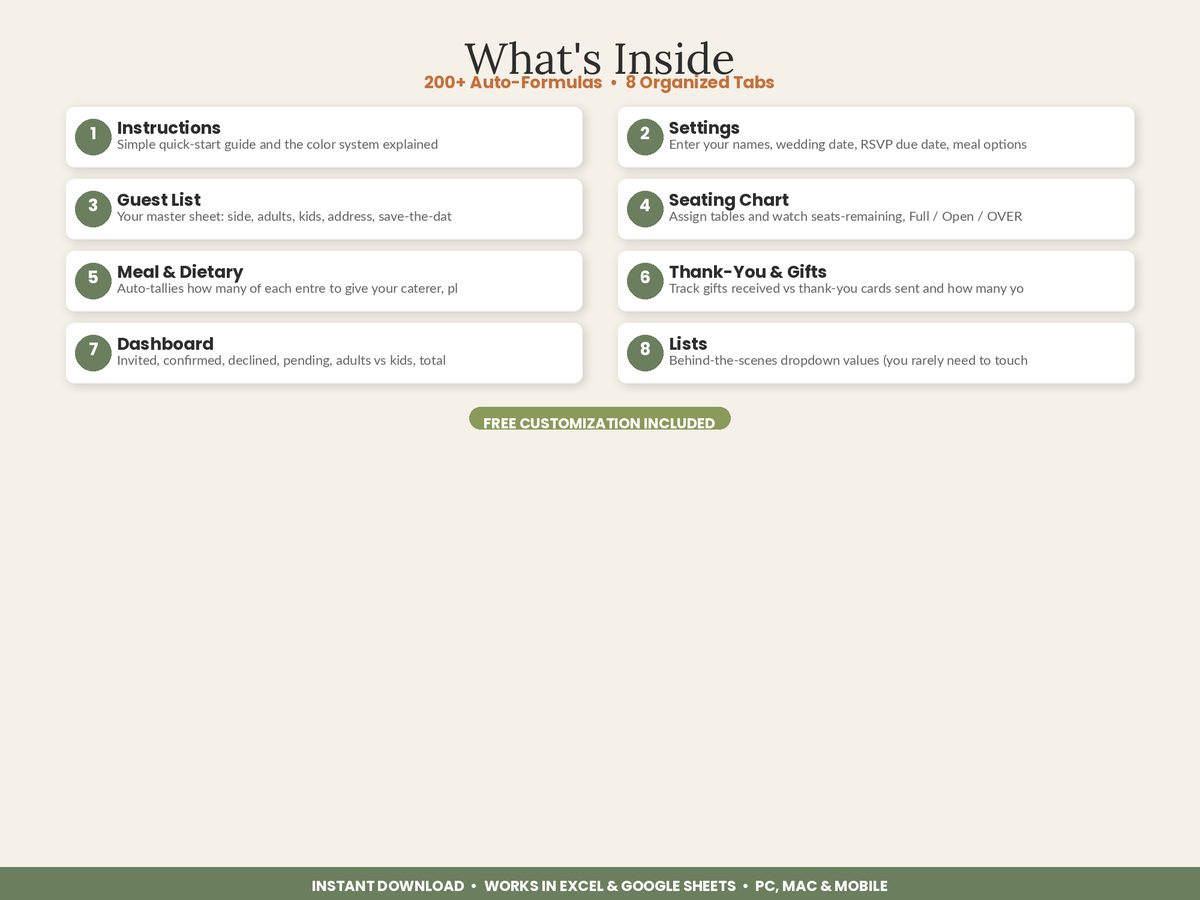
Tracking by household solves each of these, as long as you don’t lose the person count in the process.
The Core Idea: One Row Per Household, With People Counted Inside
The whole system rests on a simple structure. Every household gets exactly one row. That row holds the things that belong to a household — the name as it appears on the envelope, the mailing address, one email or phone number, one RSVP status, and one thank-you note to send later. Then, on that same row, two small columns do the heavy lifting: Adults and Kids.
A Party Size formula adds those two together. Robert & Susan Bennett are 2 adults, 0 kids — party size 2. The Carter family is 2 adults, 2 kids — party size 4. A single friend with a plus-one is 2 adults, 0 kids — party size 2, even before you know the guest’s name. Now sum the party-size column and you have your true total guest count. Sum it again filtered to “Attending” and you have your real headcount. You never counted a name twice, and you never dropped a plus-one, because the number of people was a value in a cell, not something you tried to eyeball from a list.
This is exactly how the Wedding Guest List, RSVP & Seating Chart Manager is built: you enter each guest household once, put the adults and kids in their columns, and Party Size and every headcount total calculate themselves.
Step 1: Set Up the Household Row
Start with columns that describe a household, not a person: Guest / Household Name (exactly as it goes on the envelope), Side (yours, your partner’s, or both), Relationship Group (immediate family, extended family, friends, work), Mailing Address, and one contact method. These are the fields you’ll use for save-the-dates and invitations, and having one row per household means one envelope per row — no duplicates.
Step 2: Add the Adults and Kids Columns
Right beside the name, add Adults and Kids as separate number columns, then a Party Size column that sums them. Keeping adults and kids apart matters more than it looks: caterers often price children’s meals differently, venues may have different rules for minors, and “adults only” decisions are far easier to model when kids are their own column you can total or zero out. The party-size total is what turns your household list into a guest count on demand.
Step 3: Track One RSVP Status Per Household
Give each household a single RSVP Status dropdown — Pending, Attending, Declined. Because the reply comes back per household, one status per row matches reality. When you mark the Bennetts “Attending,” their party size of 2 flows into your attending headcount automatically. When Aunt Margaret declines, her party size drops out of the count without you deleting anything. Color-code the dropdown — green for attending, red for declined — and a glance down the column tells you where your numbers stand.
Step 4: Let the Totals Do the Counting
Once adults, kids, party size, and RSVP status live in columns, every number you need is a formula, not a manual tally: total households invited, total guests invited, total adults attending, total kids attending, and still-pending replies. A dashboard that reads those columns gives you a live headcount that updates the instant you log a reply. The recount spiral — 138, then 146, then starting over — simply stops happening, because nobody is counting anymore. The spreadsheet is.
Step 5: Hand Off a Number You Trust
At your RSVP deadline, your attending total is already correct, so your preliminary caterer count is a copy-paste, not a project. A few days before the wedding, when contracts usually require a final guaranteed number, you read the same cell again. Because adults and kids were tracked separately the whole way, you can also tell the caterer exactly how many children’s meals to prepare — a number that’s almost impossible to produce reliably from a plain list of names.
Stop Counting Names, Start Reading Totals
The reason wedding headcounts feel so slippery is that most couples try to count people from a list that was really organized by household. Flip it around — one row per household, adults and kids in their own columns, party size and RSVP status doing the totals — and the count stops being something you calculate under pressure. It becomes something you simply look up, correct to the last reply, every time.
Featured on ReadySheetGo
The Wedding Guest List, RSVP & Seating Chart Manager is built around the household model: enter each guest once with Adults and Kids counts, and Party Size, invited totals, attending headcount, and pending replies all calculate automatically across a connected 8-tab workbook. RSVP status, save-the-date and invite tracking, meal choices, seating, and thank-you notes all read from the same master list, and the Dashboard rolls it into a live guest-count summary. Sample guests are pre-filled so you can see how it works — just type over them. Works in Excel and Google Sheets, PC and Mac. One-time purchase — $16.99 instant download.
Frequently Asked Questions
Should I track wedding RSVPs by household or by individual guest?
Track by household as the master unit, but capture the number of adults and kids inside each household so the spreadsheet can total individual guests for you. Invitations, thank-you notes, and mailing addresses belong to a household; catering, seating, and final headcount need the person count. Entering each household once with an adults and kids count gives you both without maintaining two lists.
How do I count plus-ones and children on a wedding guest list?
Give every household row an Adults column and a Kids column, then let a Party Size formula add them together. A single invited friend with a plus-one is 2 adults, 0 kids; a family of four might be 2 adults, 2 kids. Summing the party-size column gives your true total guest count, so a plus-one or a child can never be silently dropped from the number the caterer needs.
Why does my wedding headcount keep coming out wrong?
Almost always because the list mixes households and individuals — some rows are one person, some are 'the Smiths,' and a manual count double-charges or skips people. A spreadsheet that stores adults and kids per household and totals them with a formula removes the guesswork, so your invited, attending, and declined counts are consistent every time.
When should I finalize my wedding guest count for the caterer?
Give your caterer a preliminary count at your RSVP deadline, usually three to four weeks before the wedding, and a final guaranteed count a few days before per your contract. A guest list that totals attending adults and kids automatically as replies arrive means your final number is ready the moment the deadline passes — no late-night recount.