Balance Sheet Does Not Balance at Year End? How to Find the Difference
Your assets say one number, your liabilities plus equity say another, and the difference will not go away. Do not start re-entering transactions at random. The size of the gap tells you where to look, and four patterns explain almost every case.
This is a bookkeeping troubleshooting guide, not accounting advice. Ask your accountant to review anything you cannot resolve.
Full walkthrough of the template used in this guide.
First, write down the gap
Work out the difference precisely: total assets minus (total liabilities plus equity). Positive means assets are too high or the other side is too low; negative is the reverse. Record the sign and the cents.
Here is a balanced starting position for a fictional candle business, with all figures illustrative: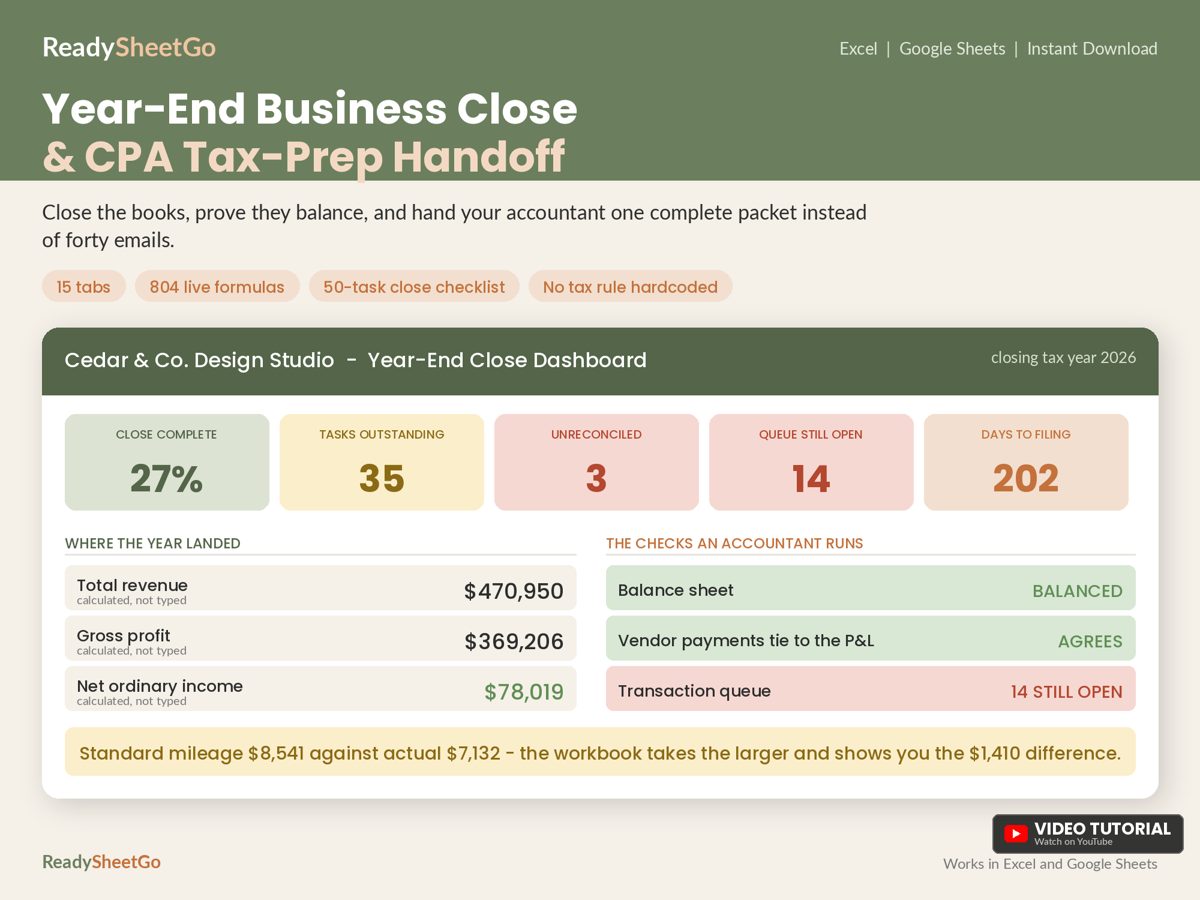
| Item | Amount |
|---|---|
| Cash (reconciled) | $18,420.55 |
| Inventory (counted) | $14,200.00 |
| Equipment, net of depreciation | $1,440.00 |
| Total assets | $34,060.55 |
| Credit card balance | $2,310.55 |
| Sales tax payable | $860.00 |
| Total liabilities | $3,170.55 |
| Opening equity | $7,340.00 |
| Net income for the year | $31,550.00 |
| Owner contributions | $5,000.00 |
| Owner draws | -$13,000.00 |
| Total equity | $30,890.00 |
| Liabilities plus equity | $34,060.55 |
| Gap | $0.00 |
Now we break it four ways and read the gap.
Pattern 1: The gap equals one known amount
Symptom: the gap is exactly $540.00.
Likely cause: a one-sided entry. Maybe you recorded a payment that reduced cash but never posted the matching expense or liability. Or, as in our example, a $540.00 check that cleared late was left out of the book balance on one tab but not another.
Check: search your ledger and reconciliation for an amount of exactly $540.00. If it appears once where it should appear twice, or on one tab but not the other, that is it.
Pattern 2: The gap equals double an amount
Symptom: the gap is $3,600.00.
Likely cause: an item entered on the wrong side. A $1,800.00 owner draw recorded as a contribution moves equity the wrong way by twice the amount: from -$1,800 to +$1,800 is a swing of $3,600.
Check: divide the gap by two ($1,800.00) and search for that amount. Look especially at draws versus contributions, and refunds versus sales.
Pattern 3: The gap is divisible by nine
Symptom: the gap is $180.00.
Likely cause: transposed digits. Typing $5,130 instead of $5,310 is off by $180, and any transposition error is divisible by 9. 180 divided by 9 is 20, which also tells you the digits differ by 2 in adjacent places.
Check: a divisible-by-nine gap is a hint, not proof. Look for figures near the gap’s scale that you typed by hand rather than pulled by formula.
Pattern 4: The gap equals a whole category
Symptom: the gap is $860.00 and nothing else matches.
Likely cause: a missing line. In our table, if you forgot to include sales tax payable, liabilities fall short by exactly $860.00. Missing lines are common for accounts that exist outside your main bank: payroll liabilities, sales tax, loans, owner loans.
Check: list every account type and confirm each has a row on the balance sheet, even if the balance is zero.
A quick diagnostic table
| If the gap is… | Try… |
|---|---|
| Exactly one transaction amount | One-sided entry or a double count |
| Exactly twice an amount | An item on the wrong side |
| Divisible by 9 | Transposed digits |
| A round or familiar total | A missing account or line |
| Small cents difference | Rounding or a tax calculation |
| Large and unexplained | Check that every tab feeds the sheet |
Check the feeders before the figures
A balance sheet is only a summary. The numbers come from your reconciliation, your inventory count, your fixed asset register and your profit and loss. If one tab was updated and another was not, the sheet will not tie. Confirm each feeder is current:
- Cash matches the reconciled balance on every account. See how to reconcile a business bank account.
- Inventory matches your latest count. See the inventory count worked example.
- Net income equals the bottom line of the profit and loss.
- Fixed assets are net of this year’s depreciation.
- Owner draws and contributions match the owner tab.
Copy-ready balance check
Put this in a cell under your balance sheet:
=IF(ROUND(TotalAssets-(TotalLiabilities+TotalEquity),2)=0,"Balances","Out of balance by "&TEXT(TotalAssets-(TotalLiabilities+TotalEquity),"$#,##0.00"))
Replace the three names with your own cell references. Rounding to two places avoids false alarms from floating-point noise. Then add a second cell that shows the gap divided by nine and by two, so the diagnostic clues appear without you doing sums by hand.
The Year-End Business Close and CPA Tax-Prep Handoff Workbook builds its balance sheet from the tabs you have already completed, then tells you in plain words whether it balances, so you find out before your accountant does. It works in Excel and Google Sheets. For where this fits in the wider process, see the year-end business close checklist.
Featured on ReadySheetGo
Year-End Business Close and CPA Tax-Prep Handoff Workbook — $19.99
A balance sheet that checks itself and says in plain words whether it balances. Works in Excel and Google Sheets.
General information only, not tax, legal or accounting advice. Example figures are fictional.
Frequently Asked Questions
Why does my balance sheet not balance?
Assets must equal liabilities plus equity, so a gap means a figure is missing, entered once instead of twice, entered on the wrong side, or mistyped. The size of the gap usually points to which. A gap equal to one transaction suggests a one-sided or double entry; a gap divisible by nine suggests transposed digits.
What does it mean if the difference is divisible by 9?
It is a classic sign of transposed digits, such as typing 5,130 instead of 5,310. The difference is 180, which divides evenly by nine. It is a clue, not proof, so check the figures near that size.
What if the difference is exactly double a transaction?
A sign or side error is likely: the item was entered on the wrong side, so the error is counted twice. Divide the gap by two and search for a transaction of that amount.
Should I send my accountant a balance sheet that does not balance?
Better to fix it first, but if you cannot, tell your accountant the amount of the gap and what you have already checked. A flagged difference is far more useful than a silent one.