How to Catch Overtime Before You Post the Schedule: Seven Mistakes That Cost You the Premium
Overtime is not a payroll event. It is a scheduling decision that happens to be discovered at payroll.
By the time the number appears on a payroll report, the hours have been worked and the premium is owed. Every opportunity to do something about it existed earlier — usually on a Wednesday afternoon, while somebody was dragging shift codes around a grid and not looking at a total.
Here are the seven ways small businesses schedule overtime by accident, roughly in order of how much they cost.
First, The Rule You Are Scheduling Against
Under the federal Fair Labor Standards Act, non-exempt employees are owed at least 1.5× the regular rate for hours worked over 40 in a workweek. A workweek is a fixed, recurring 168-hour period that you define — and crucially, you cannot slide it around to suit a particular week’s schedule.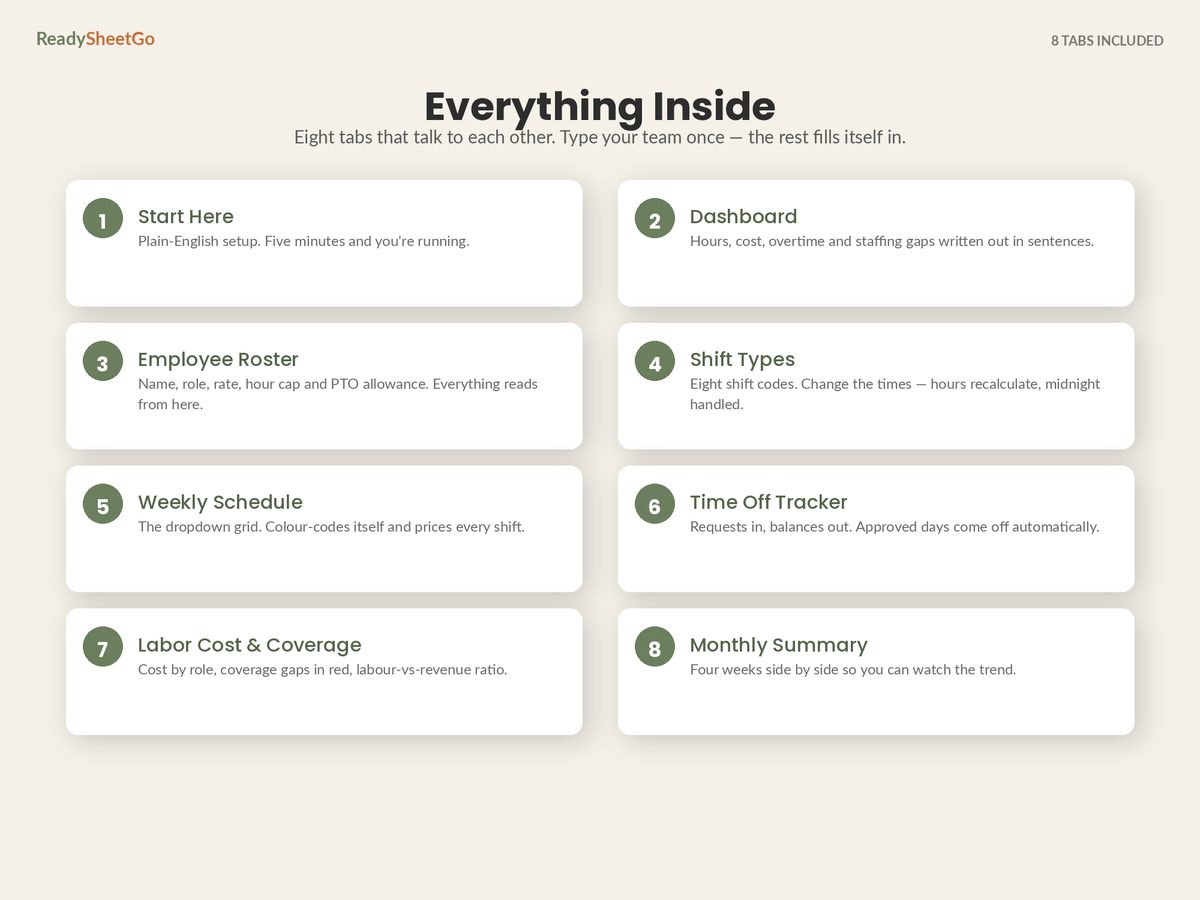
Two things about this that shape how you build a schedule file:
- Some states are stricter. Daily overtime thresholds and consecutive-day rules exist in several states, and where state law is more generous, state law wins. So the threshold in your file should be a cell you set, not a hard-coded 40.
- The 40 is hours worked. Paid holiday and sick pay generally do not count toward it federally. A file that totals all paid hours and flags anyone over 40 will over-report overtime for anyone on PTO — which sounds harmless, until it makes you move a shift you did not need to move.
Mistake 1: Nothing Totals the Row Until Payroll Does
The most expensive mistake is also the most boring. The schedule is a grid of shift codes with no weekly total per person, so the only place hours get added up is the payroll system, ten days later.
The fix is one column. Sum the seven day cells, compare against a threshold cell, and turn red on breach:
Weekly hours = SUM(Mon:Sun)Overtime hours = MAX(0, weekly hours − threshold)
That is the entire mechanism. It is not sophisticated and it catches most of what follows.
Mistake 2: Loading the Reliable One
Every business has an Aisha — fully flexible, says yes, never a problem. So she gets the sixth shift, every week.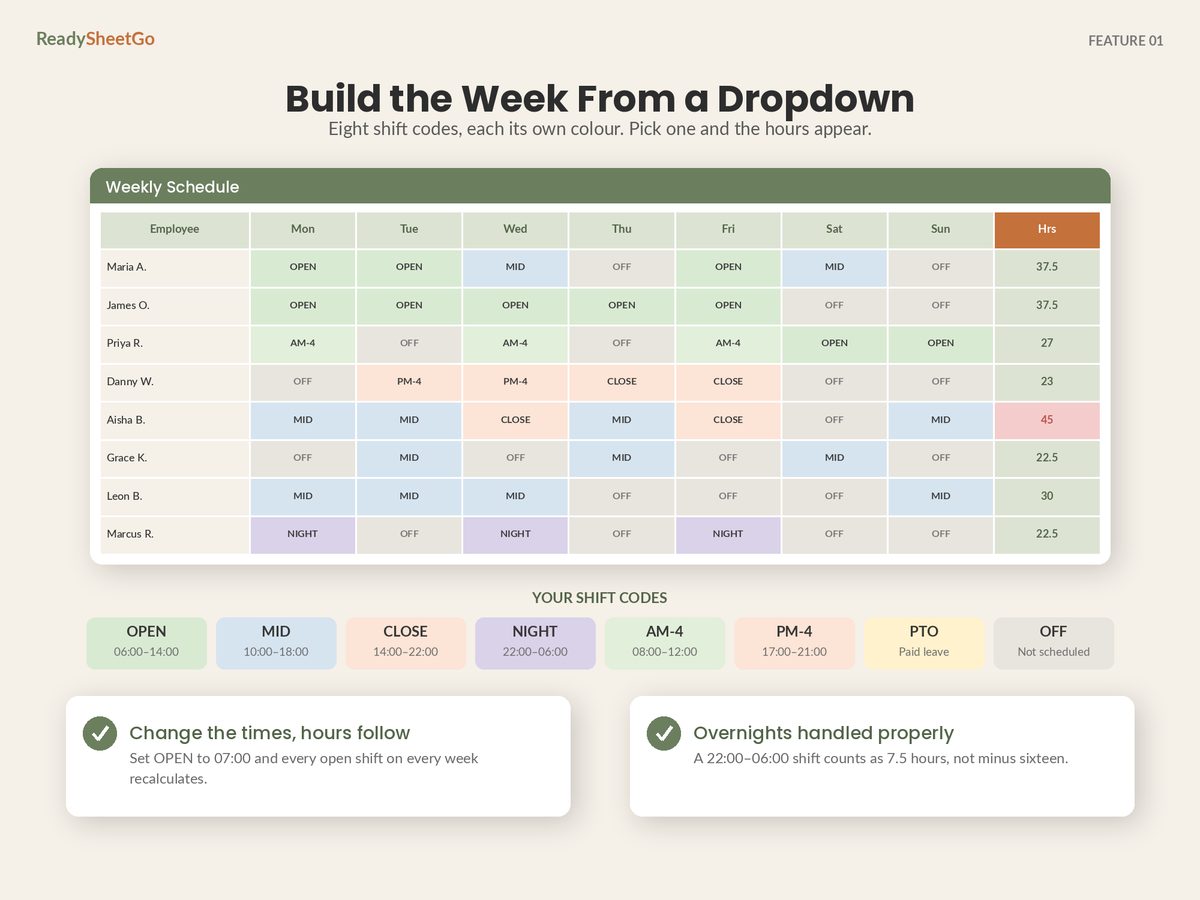
In the twelve-person week used throughout this cluster:
| Hours | Cost | |
|---|---|---|
| Aisha at 45 hours ($16.50) | 40 reg + 5 OT | $783.75 |
| Aisha at 40 + Tomas covers 5 ($16.00) | no OT anywhere | $740.00 |
| Saving: $43.75/week |
The same 45 hours of work happen. The same floor is covered. $43.75 a week is $2,275 a year — and Tomas, on 15 hours, presumably wanted the shift.
This is the single highest-return check in scheduling, and it takes one glance at a column of weekly totals sorted descending.
Mistake 3: The Threshold Is Hard-Coded
If 40 is typed inside the formula rather than sitting in its own cell, three things become awkward: operating in a state with a daily threshold, running an internal trigger below the legal one (some businesses flag at 38 to leave headroom for a late call-out), and testing what a schedule would cost under a different rule.
Put the threshold and the multiplier in two visible cells at the top of the schedule. It costs nothing and makes the file portable across states and policies.
Mistake 4: Overnight Shifts Priced at Zero
A shift running 22:00 to 06:00 computed as end-minus-start returns minus 16 hours. Depending on how the file handles it, that becomes zero, a negative, or an error swallowed by an IFERROR.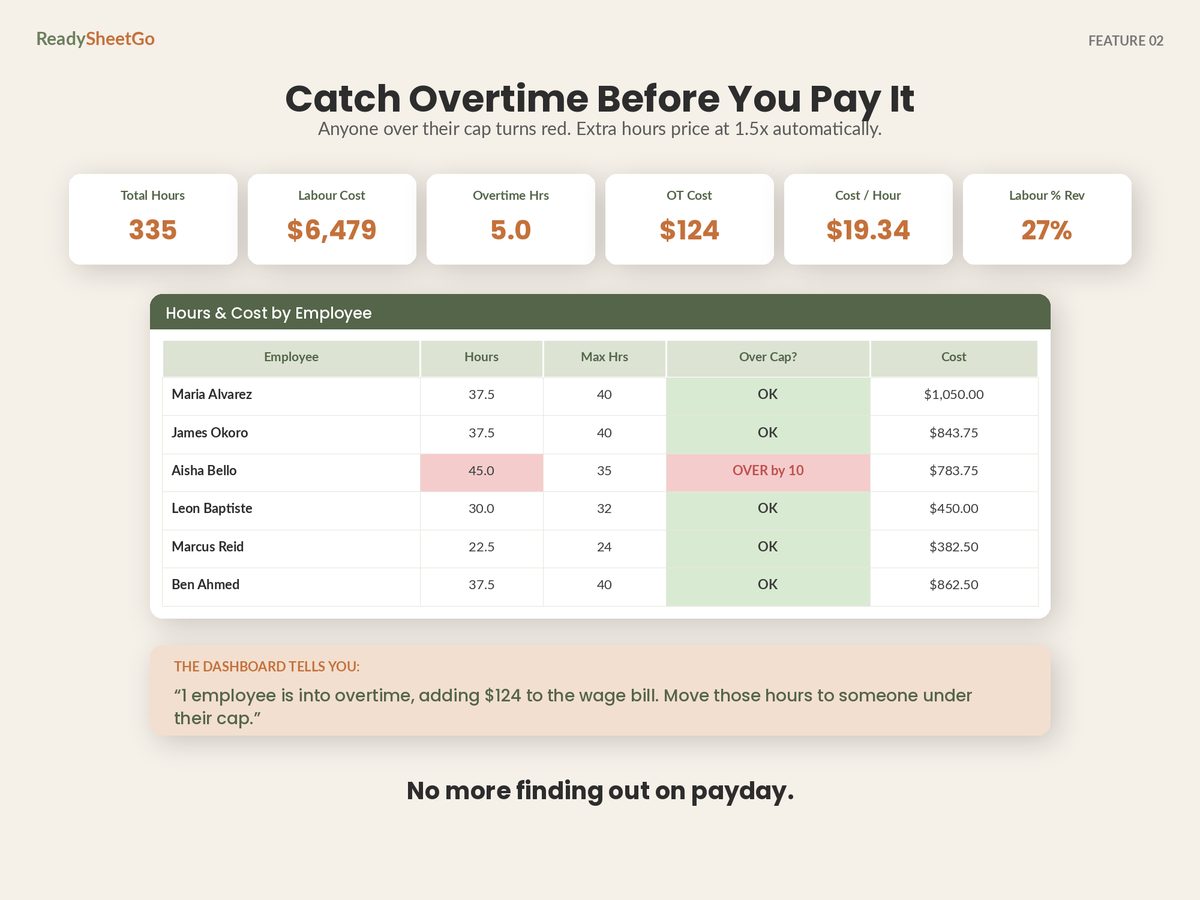
The consequence is worse than a wrong cell: the schedule looks cheaper than it is, and the person on nights never appears anywhere near the overtime threshold. Take the difference modulo 24 hours instead, then subtract the unpaid break, and test the file with one NIGHT shift before you trust any number in it.
Mistake 5: Counting Paid Holiday Toward the 40
The mirror image of mistake 4, and it costs you differently — not in money paid, but in decisions made on a wrong number.
Somebody with five worked shifts and two paid holiday days shows 37.5 hours worked and 15 hours of PTO. A file that adds them shows 52.5 and screams overtime. You then move a shift you did not need to move, and somebody who wanted the hours loses them.
Keep a separate column for hours worked versus hours paid. The threshold test runs on the first; the cost calculation runs on the second.
Mistake 6: The Second Job Nobody Tracks
If a person works in two of your locations, or two roles with different rates, the 40 hours is the employee’s total across your business — not per site and not per role. Two site managers each scheduling 25 hours produce 50 hours and 10 hours of premium that neither of them can see.
If this is possible in your business, the roster has to be one list across all locations, and the weekly total has to sum every site. Separate files per site guarantee this gets missed.
Mistake 7: The Late Call-Out Filling Itself In
The schedule was clean when posted. Then Thursday’s cook calls in sick and the shift goes to whoever answers the phone — usually the person already closest to 40.
You cannot schedule this away, but you can make the answer take five seconds instead of five minutes. Keep a live hours-to-threshold column — threshold − hours so far — so when you are standing in the kitchen deciding who to call, you can see that Tomas has 25 hours of headroom and Aisha has none. Call the one with room. Same shift covered, no premium.
The Ten-Minute Check Before You Post
Run this in order, every week, before the schedule goes on the wall:
- Sort by weekly hours, descending. Anyone at or above the threshold, look at first.
- For each one, ask where the hours could go instead. Sort ascending and the answer is usually sitting at the bottom of the same column.
- Check anyone against their own cap, separately from overtime. A student on a 24-hour cap at 26 hours costs you no premium and breaks a promise anyway.
- Confirm the coverage did not move. Shifting hours from one person to another is only free if the second person can actually do that role at that time. Check the coverage-by-role grid after any swap, not before.
- Read the overtime premium, not the overtime cost. Five hours of overtime cost $123.75 here, but $82.50 of that would have been paid at straight time anyway. The premium — the genuinely avoidable part — is $41.25. That is the number to judge the effort against, and it is the number most reports never show you separately.
What It Is Worth Over a Year
Small weekly numbers are the ones that hide. Here is the premium at four different weekly levels, priced on a $16.00 base rate — so every overtime hour carries $8.00 of premium above what the same hour would have cost as straight time:
| Overtime hours per week | Premium per week | Per year |
|---|---|---|
| 5 | $40.00 | $2,080 |
| 10 | $80.00 | $4,160 |
| 15 | $120.00 | $6,240 |
| 20 | $160.00 | $8,320 |
Ten hours of weekly overtime — which almost no small business would describe as a problem — is $4,160 a year in premium alone, paid for nothing but the timing of hours you were already buying.
And that is why it is worth being deliberate about the alternative. A few hours a week is cheaper than another hire, comfortably. Persistent double-digit overtime usually is not, once you price straight time against a premium that never stops.
One Caution Before You Start Moving Shifts
Moving hours around to control overtime is legitimate scheduling. Two things are not, and both get small businesses into real trouble:
Shifting the workweek boundary so hours land in a different week. The workweek is fixed and recurring; moving it to dodge a premium is exactly what the rule exists to prevent.
Changing posted shifts at short notice. Some cities and states have predictive-scheduling rules requiring advance notice of the schedule and premium pay when you change it late. If you operate somewhere with those rules, “just move Aisha’s Saturday” may itself carry a cost — so check what applies where you trade.
The Thing Worth Remembering
Every dollar of overtime premium was decided by somebody looking at a grid without a total on it.
Put the total there. Put the threshold in a cell. Sort descending once a week, and give the hours to the person with headroom. That is the whole discipline, and on this twelve-person team it is worth $2,275 a year for about ten minutes of attention.
The rest of the schedule — coverage by role, time-off collisions, what the week costs in total — is built the same way, in the full employee schedule spreadsheet setup. And if you want to know what those overtime hours are doing to your bottom line as a proportion, labour cost percentage, properly calculated is the companion number.
Featured on ReadySheetGo
Employee Schedule, Shift Planner & Time-Off Tracker — $14.99
Overtime flagged while you are still building the week, not after payroll runs.
Set your own overtime threshold and multiplier in two visible cells — 40 and 1.5 by default, changed in one place if your state or your policy differs. The Weekly Schedule grid returns each person’s total hours, overtime hours and cost on the right as you fill it in from dropdowns, with anyone over the threshold turning red. Shift Types handles overnight shifts that cross midnight correctly, with the unpaid break deducted, so a NIGHT shift is never silently priced at zero. Each person’s own weekly hours cap sits on the roster and is checked separately, so you catch the promise you broke as well as the premium you paid.
The Dashboard reports overtime hours and overtime cost as their own figures and names anyone over their cap. Eight ready-built tabs, 460+ tested formulas, a twelve-person sample week pre-filled, unlimited employees, no per-seat pricing. Works in Excel, Google Sheets and Apple Numbers. No macros, no add-ons, no subscription.
Get the Employee Schedule, Shift Planner & Time-Off Tracker →
Frequently Asked Questions
When does overtime have to be paid?
Under the federal Fair Labor Standards Act, non-exempt employees must be paid at least one and a half times their regular rate for hours worked over 40 in a workweek, where a workweek is a fixed and recurring period of 168 hours that you define and do not move around to suit a schedule. Some states go further — daily overtime thresholds and seventh-consecutive-day rules exist in several places — and where state law is more generous than federal law, state law applies. Check the rules where you actually operate before setting the threshold in any scheduling file.
Does paid time off count toward the 40 hours for overtime?
Under federal rules, overtime is owed on hours actually worked, so paid holiday, sick pay and other paid-but-not-worked hours do not normally count toward the 40-hour threshold. This catches people out constantly: someone with five worked shifts and two paid holiday days can show well over 40 paid hours in a schedule file and be owed no premium at all. Your own policy or a collective agreement can be more generous than the legal minimum, and some states differ, so set the rule deliberately and make sure your schedule file applies the same one.
Can I give time off in lieu instead of paying overtime?
For private-sector employers in the United States, generally no — compensatory time off in place of overtime pay is available to public-sector employers under specific conditions, not to a private business. What you can legally do is adjust hours within the same workweek so the total never crosses the threshold, which is a scheduling decision and has to happen before the hours are worked, not after. Moving hours across a week boundary to dodge a premium is not the same thing and is where employers get into trouble.
Is it cheaper to pay overtime or hire another part-time employee?
Overtime costs a 50% premium on hours you were going to pay for anyway, with no additional hiring, training or scheduling overhead. An extra part-timer costs straight time plus recruitment, training, uniform, and the employer taxes and insurance that ride on any wage. The usual crossover: a handful of overtime hours a week is cheaper than another hire, while persistent double-digit weekly overtime almost always is not. Work it out on your own numbers rather than on instinct, because the premium compounds quietly across a year.