How to Handle Time Off Requests Without Leaving a Shift Uncovered
The uncovered Saturday is almost never a scheduling mistake. It is an approval that was made in isolation, three weeks earlier, without anyone checking what else was already approved for that day.
Two servers ask for the same Saturday, two weeks apart. Each request looks perfectly reasonable on its own. Nothing in the process puts them next to each other until the schedule is being built and there is nobody left to serve.
This is a process problem with a small structural fix. Here is the fix, and the checklist to run it with.
The Three Failure Modes
Almost every uncovered shift traces to one of these: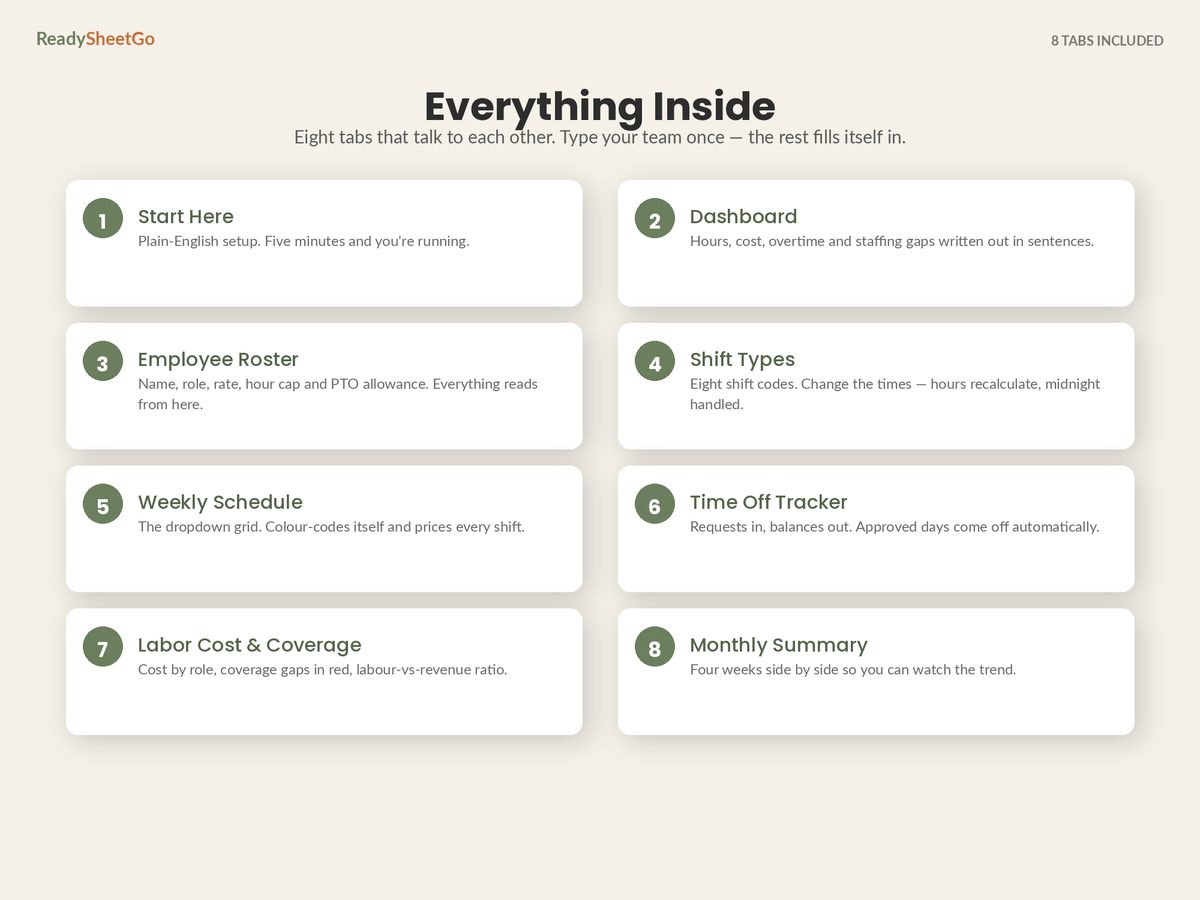
The request that was never written down. Somebody asked in the kitchen on a Tuesday. You said “should be fine.” Neither of you wrote anything. Three weeks later, one of you remembers it differently, and both of you are certain.
The request that was never answered. It was written down, it sat there, and it was neither approved nor declined. The person who asked treated silence as approval — they always do — and booked the flight.
The approval that was made without a coverage check. It was written down, it was answered promptly, and nobody looked at what else was already approved for that date, or which role would be left with nobody in it.
The first two are fixed by a log with a status column. The third needs a coverage matrix.
Step 1: One Log, Four Statuses
Every request, in one place, with these fields:
| Employee | Type | Start | End | Days | Status | Date received | Note |
|---|---|---|---|---|---|---|---|
| Maria Alvarez | Holiday | 3 Aug | 7 Aug | 5 | Approved | 12 Jun | Family trip — Aisha acting up, agreed 12 Jun |
| Danny Whelan | Holiday | 17 Aug | 21 Aug | 5 | Pending | 2 Jul | Exams finish first |
| Aisha Bello | Holiday | 27 Jul | 29 Jul | 3 | Approved | 20 Jun | Wedding |
| Tomas Lindqvist | Holiday | 27 Jul | 29 Jul | 3 | Denied | 8 Jul | Server cap — Aisha already off those days |
| Priya Raman | Holiday | 17 Aug | 21 Aug | 5 | Pending | 11 Jul | Family visit |
| Grace Kim | Personal | 23 Jul | 23 Jul | 1 | Approved | 18 Jul | Appointment |
| Leon Baptiste | Holiday | 1 Sep | 5 Sep | 5 | Pending | 5 Jul | Awaiting cover |
| James Okoro | Sick | 14 Jul | 15 Jul | 2 | Approved | — | Flu |
Four things this table does that a group chat does not: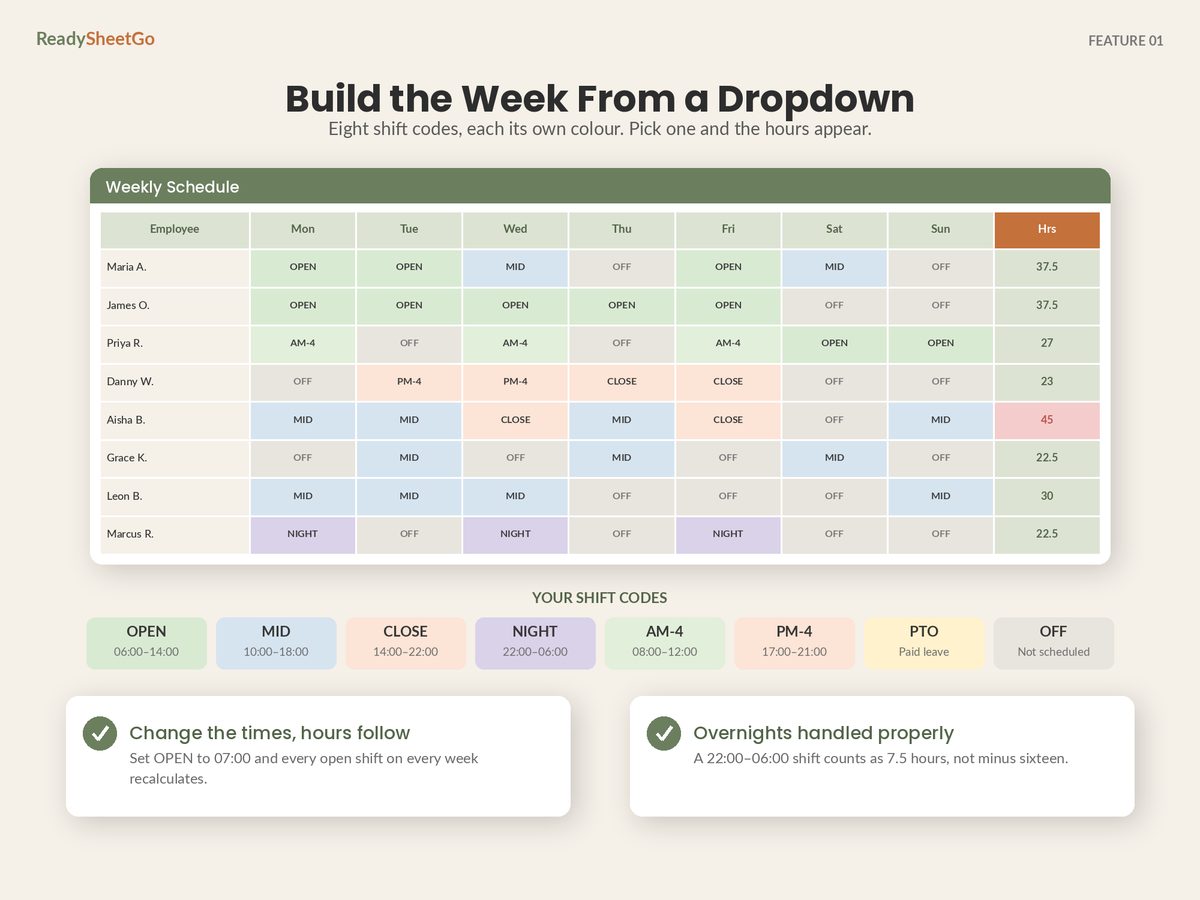
Date received makes the tiebreak a fact. When two people want the same days, first-come-first-served is only defensible if you can show who came first. Aisha asked on 20 June, Tomas on 8 July, for the identical three days in the same role — and this business runs a stated cap of one server off at a time. Tomas’s denial is not a judgement about Tomas; it is a written rule plus a date, and it can be explained to him in one sentence.
Note what the Maria row shows too. Maria is the only manager, so five days off is a five-day hole in a role with a minimum of one. It was still approved — because the approval was made conditional on cover, agreed on the same day and written into the note. That is a different and much better outcome than either a flat no or an unconditional yes that nobody thinks about again until August.
Pending is visibly different from approved. Danny, Priya and Leon are unresolved. All three are coverage risks you have not priced yet, and two of them are sitting on the same week.
Denied stays in the log. Deleting a declined request destroys the record of why, and guarantees the same conversation again in six weeks. It also lets you see whether the same person is being declined repeatedly — Tomas here has now been turned down once, and if it happens twice more you want to know before he resigns rather than after.
Sick sits alongside holiday. Different rules, same log — because for coverage purposes, absence is absence, and you want one place that answers “who is off that week”.
Step 2: The Balance That Maintains Itself
Three columns per person, and the third is the one people forget: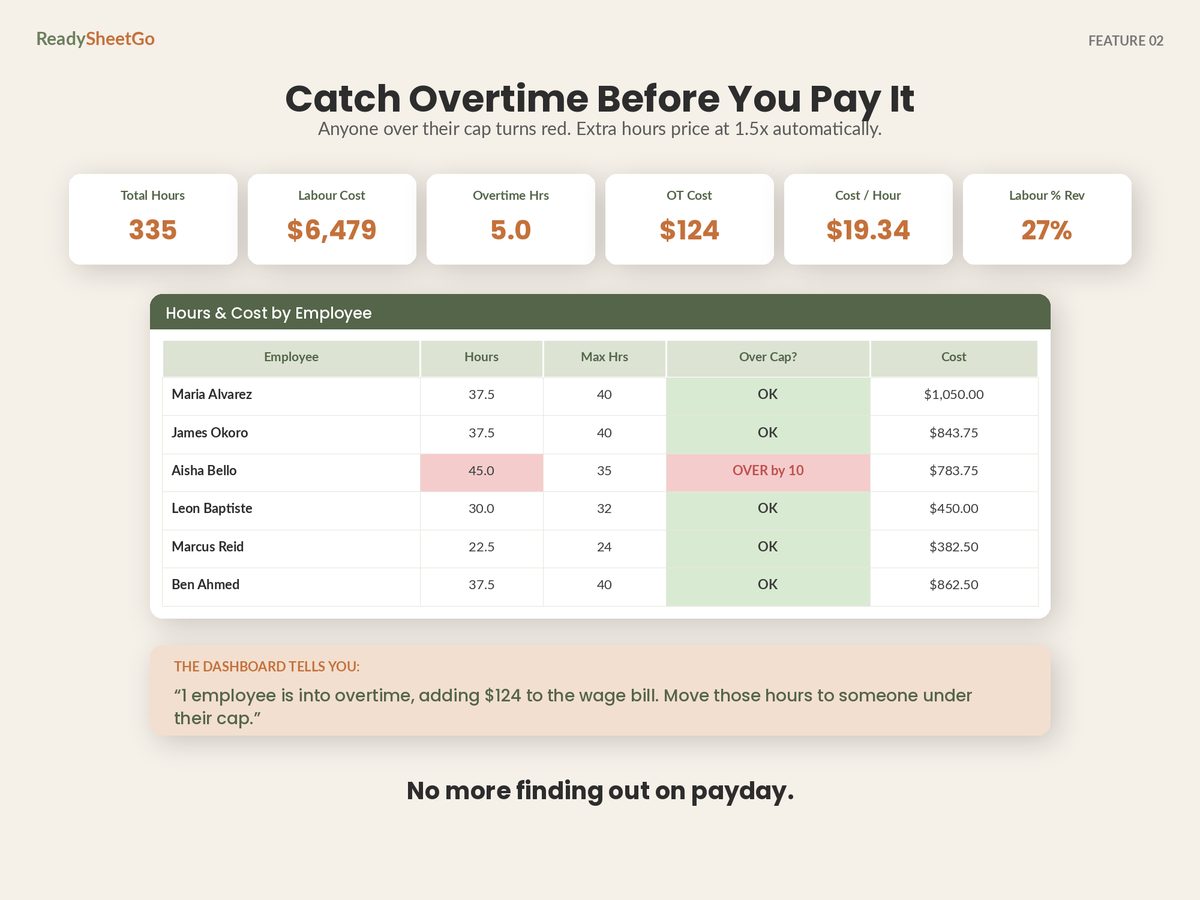
Allowance − approved days taken − approved days booked ahead = remaining
The trap is counting only days already taken. Somebody with 20 days who has used 8 and has 10 more approved for December has 2 days left, not 12. Every awkward conversation in the last week of the year comes from this arithmetic being done wrong in July.
Count pending days separately as a fourth column — a memo figure, not deducted, but visible. Danny’s five pending days are not committed, but they are five days of exposure you want to see when the next request lands on the same week.
Step 3: The Coverage Matrix
This is the part that actually prevents uncovered shifts, and it is a small table: people available per role per day, against a minimum you set. Availability, not assignment — count everyone in that role who is not on leave that day, whatever the schedule happens to say. Assignment is a separate question, and counting who is actually scheduled per role per day is the check you run later, once the week is drawn. This one runs earlier, at the moment you are answering a request, when there is no schedule yet.
The trick specific to time off is to run it twice: once as approvals stand, and once with every pending request treated as approved. The second run is the one that changes decisions. Take the Cook row for the week of 17 August. There are two cooks on the roster, and the business needs both of them available if it is going to put two on the line:
| Cooks available, w/c 17 Aug | Mon | Tue | Wed | Thu | Fri | Sat | Sun | Min needed |
|---|---|---|---|---|---|---|---|---|
| As approved today | 2 | 2 | 2 | 2 | 2 | 2 | 2 | 2 |
| If everything pending is approved | 1 | 1 | 1 | 1 | 1 | 2 | 2 | 2 |
Nothing is wrong today. But Priya’s request sits squarely on that week, and approving it leaves one cook available for five consecutive days when two are needed on the line — which is a conversation to have now, on 11 July, rather than on 16 August when the schedule is being built and there is nobody left to ask.
Notice also what the same view says about Danny, whose pending week is identical. Danny is a server, and with four servers on the roster his absence does not breach anything. Two requests, same five days, and the right answer to each is different — which is only visible if the check is run per role rather than per head.
That is also what a conditional approval is for. “Yes, if we can get agency cover for the Tuesday and Wednesday, decided by the 20th” is a better answer than either a flat no or an unconditional yes, and it is only available to you if you ran the second row.
Three rules make the whole matrix trustworthy:
Leave removes a body, it does not add one. Someone on paid holiday is still in the schedule grid and still in the wage bill, but they are not on the floor. Any count that reads their name as coverage will report a day as staffed when it is not — and because the name is sitting right there, the eye makes the same mistake.
Count by role, not by headcount. “Only two people off that week” is meaningless if both are cooks. The minimum that matters is per role, and the concurrency cap in your policy should be written the same way.
Count the day the request affects, not the day it starts. A Friday-to-Tuesday holiday touches five days and two schedule weeks. Requests logged by start date and checked only against that date are how a Monday gets missed.
Step 4: The Policy, Written Down
Requests get contentious when the rule looks like it changes depending on who asked. Four decisions, made once, in writing:
Notice period, set in proportion to how far ahead you post. If you post two weeks out and require two weeks’ notice, requests will land on weeks that are already live, permanently. Post two weeks ahead, ask for three or four.
Blackout dates, named specifically, before anyone books anything. The fortnight you genuinely cannot cover — your peak, your inventory count, your big event. A blackout stated in January is a policy; the same blackout announced in November is a broken promise.
A cap on concurrent absence, by role rather than headline. “Two people off at once” is meaningless if both are cooks and you need two cooks. The real rule is per role, and the coverage matrix already knows it.
A decision deadline. Every request answered within, say, five working days. This is the single highest-value line in the policy, because an unanswered request is treated as a yes by the person who made it and as an open question by you, and that mismatch is where the flights get booked.
The Copy-Ready Checklist
Run this before approving any request. It takes under a minute once the tables exist.
- Is it logged, with a date received?
- Does the person have the balance — allowance minus taken minus already-approved-ahead?
- Who else is already off on those dates, and in which roles?
- Does any role drop below minimum on any affected day, with PTO excluded from the count?
- Does anything pending overlap those dates? If yes, decide both together rather than in sequence.
- If it breaks coverage, is there a conditional yes? “Approved if you arrange cover with someone qualified for that role by the 15th” is usually better for everyone than a flat no.
- Answer it, in writing, by the deadline — and update the status in the log the same day.
- When the schedule is built, confirm nobody with approved leave has been scheduled anyway. This is the last-mile check, and it catches the copy-last-week’s-grid mistake.
Step 8 is worth its place. Most schedules get built by duplicating the previous week, which faithfully copies last week’s assignments onto a person who is now in Portugal.
What This Is Worth
An uncovered shift does not appear in any financial report, which is why it never gets managed. What it actually costs is some combination of a manager working a shift they were not scheduled for, a service level your customers noticed, and an overtime premium paid to whoever answered the phone — the last of which is the one part you can price, and it is rarely the largest.
The fix is not more effort. It is three tables that already know the answer — a request log with statuses, a balance that includes days booked ahead, and a coverage matrix that excludes PTO — plus a policy that means the same thing in November as it did in June.
The full employee schedule spreadsheet setup shows how those tables connect to the week you are actually building, so the coverage check happens while the schedule is still editable rather than after it goes on the wall.
Featured on ReadySheetGo
Employee Schedule, Shift Planner & Time-Off Tracker — $14.99
The request log, the balances and the coverage check, already wired together.
The Time Off Tracker logs holiday, sick and personal requests as approved, pending or denied, with balances that maintain themselves — approve a request and it comes off the allowance — and pending days counted separately so nothing gets double-booked. Labor Cost & Coverage shows people scheduled per role for every day against a minimum headcount you set, with anything short flagged red. The Dashboard tells you how many time-off decisions are still waiting on you, alongside which day is busiest, which is priciest, who is over their weekly cap and where the gaps are.
Eight ready-built tabs, 460+ tested formulas, a twelve-person sample week pre-filled, your own overtime threshold and multiplier, unlimited employees and no per-seat pricing. Print-ready weekly schedule for the break room wall. Works in Excel, Google Sheets and Apple Numbers. No macros, no add-ons, no subscription.
Get the Employee Schedule, Shift Planner & Time-Off Tracker →
Frequently Asked Questions
How should a small business decide between two clashing holiday requests?
Decide the rule before you have the clash, write it down, and apply it every time. First-come-first-served with a date-received stamp is the easiest to defend and the easiest to run, because the tiebreak is a fact rather than a judgement. Rotation-based rules work better for the dates everyone wants — where whoever had last Christmas does not get first refusal on this one. What causes resentment is not the answer itself; it is a rule that appears to change depending on who asked.
Should a pending time-off request block the schedule?
It should be visible on the schedule without being treated as approved. The failure mode is a request sitting unanswered while you build the week around the person being available, then approving it on Thursday and discovering the Saturday is short. Keep pending days in their own column and count them separately from approved days, so a coverage check can be run twice — once as things stand, and once as things would stand if everything pending were approved.
How much notice should employees give for time off?
Set it in proportion to how far ahead you post the schedule: notice that runs shorter than your posting horizon guarantees requests arriving after the week is already live. If you post two weeks ahead, three or four weeks of notice for planned holiday is a reasonable floor, with a longer window for peak periods and a stated blackout for the dates your business genuinely cannot cover. Write the policy down and give a decision deadline, because an unanswered request is treated as a yes by the person who made it.
Does paid time off count as coverage on the schedule?
No, and any file that counts it as coverage will tell you a day is staffed when it is not. Someone on paid holiday costs you money and staffs nothing — a PTO day belongs in the cost calculation and must be excluded from the headcount-per-role check. This is the single most common bug in homemade schedule sheets, because the person's name still appears in the grid and the eye reads it as a body on the floor.