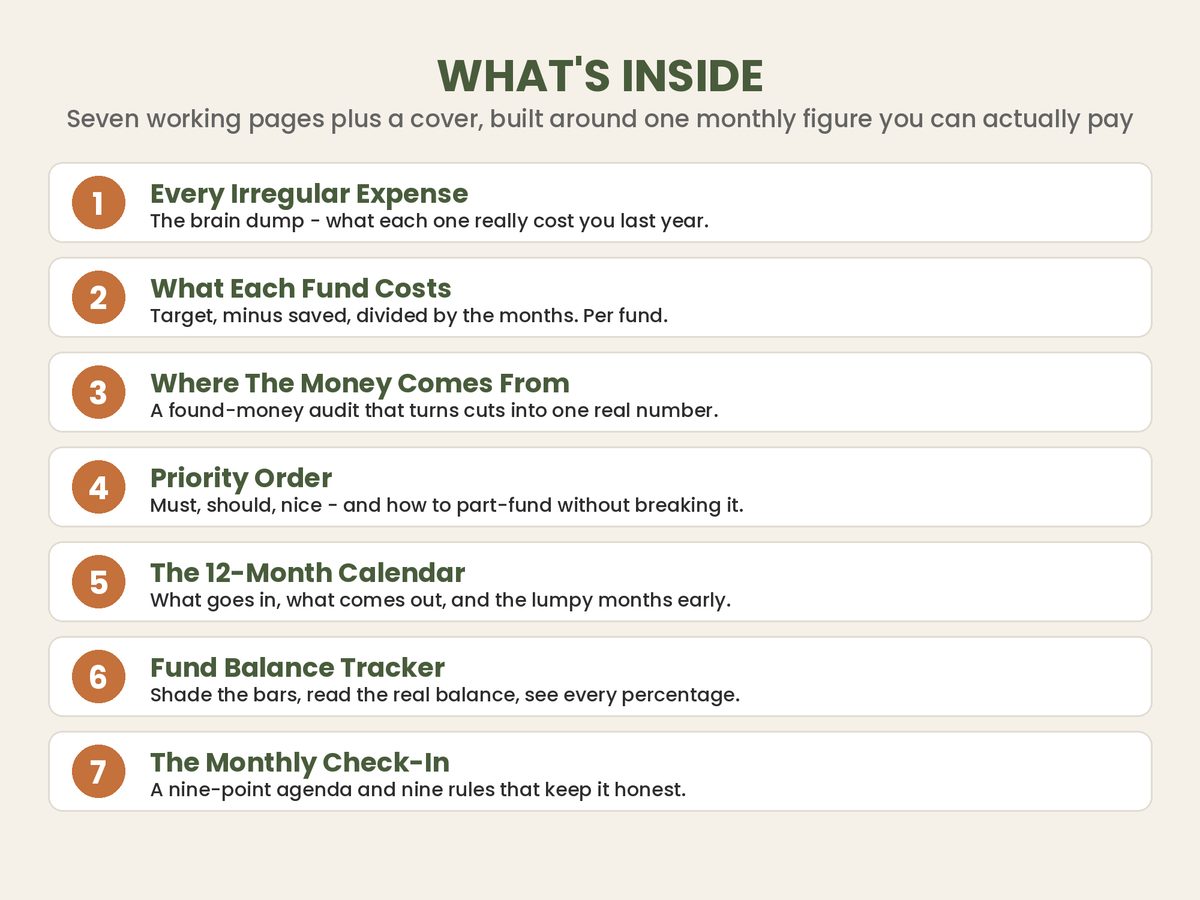
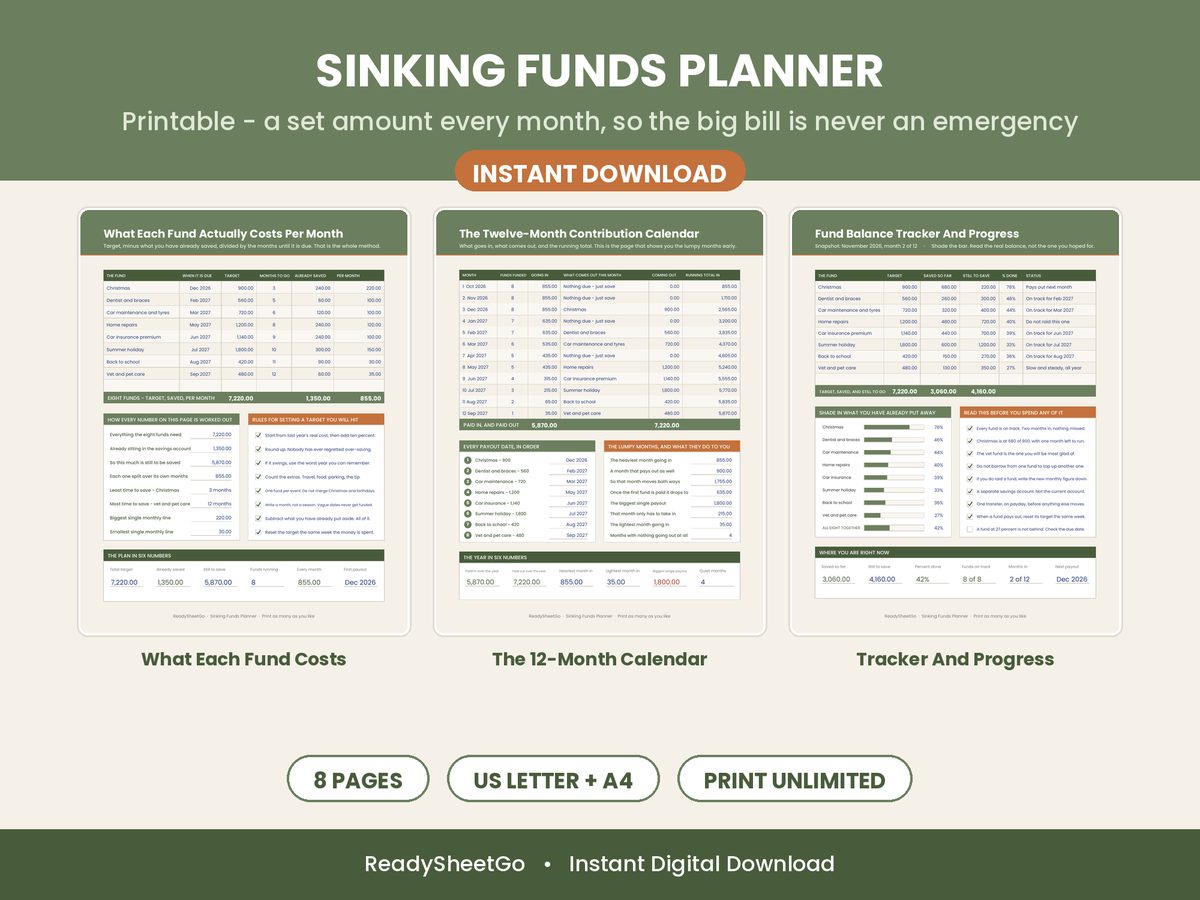
If a car repair, an insurance renewal, or Christmas has ever blown a hole in your budget, the problem wasn’t that the expense was a surprise — it’s that you were saving for it in your head instead of on paper. You knew the car would eventually need tires. You knew December would arrive. What you didn’t have was a system that quietly set the money aside every month so the bill landed already paid for.
That system is called a sinking fund, and a spreadsheet is the ideal home for it. This guide walks through setting one up from scratch — how to list your goals, the one formula that drives everything, how to split a single monthly savings budget across several funds, and how to track it so nothing slips. There’s a full worked example with real numbers you can copy step for step.
What a sinking fund actually is
A sinking fund is money you set aside a little at a time for a planned, irregular expense — so it never wrecks your monthly budget. Think Christmas gifts, car repairs, insurance premiums paid in lump sums, a vacation, new tires, property taxes, a replacement laptop. You know these are coming. A sinking fund means you save ahead in small, painless monthly amounts instead of scrambling when the bill arrives.
The word comes from old accounting — a “sinking fund” was money a company set aside over time to pay off a debt or replace an asset. For a household it’s the same idea shrunk down: predictable-but-lumpy costs get their own slow-filling pot, so they never compete with rent and groceries in the month they happen to land.Sinking Funds spreadsheet template - what's inside
The magic is that lumpy expenses become smooth. A $1,200 set of tires isn’t a $1,200 problem in one brutal month — it’s $100 a month you barely notice for a year. That’s the entire game.
Step 1: List every planned expense you can see coming
Open a spreadsheet and give each fund one row. For every goal you only need four things to start:
Fund name — “Car Repairs & Tires,” “Christmas / Holidays,” “Auto Insurance (6-mo).”
Category — Vehicle, Gifts, Insurance, Travel, Home, Health, and so on. Categories let you group and spot where your irregular spending really goes.
Target amount — how much the expense will cost.
Target date — when you’ll need the money.
Don’t overthink the target date. Even a rough guess is fine — it’s what drives the math, so a guessed date beats a blank one. Here’s a realistic starting list for one household:
Fund
Category
Target
Target date
Car Repairs & Tires
Vehicle
$1,200
Dec 2026
Christmas / Holidays
Gifts
$1,000
Dec 2026
Auto Insurance (6-mo)
Insurance
$900
Nov 2026
Summer Vacation
Travel
$2,500
Jun 2027
Property Taxes
Home
$3,600
Dec 2026
Medical / Dental
Health
$800
Oct 2026
Six funds, and already you can see the year’s lumpy costs laid out instead of ambushing you one at a time.
Step 2: Use the one formula that runs everything
Here’s the only formula you need, and it’s simple enough to do on a napkin:
That’s it. For each fund, subtract what you’ve already put aside from the target, then divide by the number of months until the deadline. Let’s run it on the list above, assuming it’s now roughly ten months before the December deadlines and you’ve already got a little saved in a couple of them:
Fund
Target
Saved
Months left
Monthly needed
Car Repairs & Tires
$1,200
$200
10
($1,200 − $200) ÷ 10 = $100
Christmas / Holidays
$1,000
$150
10
($1,000 − $150) ÷ 10 = $85
Auto Insurance
$900
$0
9
$900 ÷ 9 = $100
Summer Vacation
$2,500
$400
16
($2,500 − $400) ÷ 16 = $131.25
Property Taxes
$3,600
$0
10
$3,600 ÷ 10 = $360
Medical / Dental
$800
$50
8
($800 − $50) ÷ 8 = $93.75
Add up that last column and you’ve got your total monthly commitment: about $870 a month to stay on track across all six funds. This is the number that turns a vague sense of “I should save for stuff” into a concrete plan. In a spreadsheet, this recalculates itself the moment you open the file — as months tick by and you log deposits, every fund’s monthly number updates on its own.
Step 3: Check the total against what you can actually save
The moment you total the monthly column, you face the real question: can you afford it? Say you can realistically move $600 a month into savings. Your funds want $870. That’s a $270 monthly shortfall — and it’s far better to know that now, in a calm spreadsheet, than to discover it when the property tax bill lands.
When your funds ask for more than your budget, you have exactly three levers, and a spreadsheet lets you test each in seconds:
Extend a target date. Push the vacation from June to September and its monthly number drops.
Lower a target. A $700 Christmas instead of $1,000 frees up cash immediately.
Raise your monthly savings budget. Find the difference in your spending plan.
Most people use a mix. The point isn’t to hit every goal perfectly on day one — it’s to see the trade-offs clearly and choose them on purpose. Deciding how many funds to run at once is its own skill; if six already feels like too many, start with how many sinking funds you should actually have and trim to the essentials first.
Step 4: Split your monthly budget across the funds
Once your total exceeds — or even approaches — your budget, you need a rule for which funds get funded first each month. The cleanest approach is to split your monthly savings proportionally by each fund’s monthly-needed amount. If a fund represents 12% of your total monthly need, it gets 12% of this month’s savings.
With a $600 budget against $870 of need, each fund gets roughly 69 cents on the dollar of what it ideally wants — the vacation gets ~$90 instead of $131, property taxes ~$248 instead of $360, and so on. Everything advances together and nothing gets starved. When a nearer deadline (like insurance in November) starts to look tight, you shift a little extra its way. A spreadsheet can suggest these splits automatically and flag when your planned funding goes over budget for the month.
Step 5: Log every deposit and watch the status
Setting up the funds is half the job; the other half is logging what you actually save. Each time you move money into savings, record it against the right fund. Your balances update, your “still needed” shrinks, and — this is the part that keeps you going — each fund shows a status:
On track — you’re saving enough to hit the target by the date.
Behind — the monthly amount needed is climbing faster than you’re funding it.
Overdue — the target date has passed and the fund isn’t full.
Funded — you’ve hit the target. Done.
Seeing “Behind” in red on the car fund is a nudge to act before the timing belt goes, not after. And if you fall behind on several at once, don’t panic-abandon the whole system — there’s a clean recovery routine in how to catch up on sinking funds when you’ve fallen behind.
Do you need a separate bank account for each fund?
No — and please don’t. Opening a bank account per goal is a common beginner trap that creates a dozen logins and gets abandoned in a month. Keep all the cash in one high-yield savings account and let the spreadsheet track how that single balance is split across your funds. The bank shows one number; your sheet shows who that number belongs to. You earn interest on the whole pile while still knowing exactly how much of it is “Christmas” versus “car repairs.”
Sinking funds vs. your emergency fund
People new to this often blur sinking funds and their emergency fund into one pot, which quietly defeats both. The distinction is simple: a sinking fund is for expenses you can predict (you know the car needs tires and the holidays are in December). An emergency fund is for the ones you can’t (a job loss, a surprise ER visit). If you’re not sure which dollars go where, sinking fund vs. emergency fund breaks down exactly how to split them so neither cannibalizes the other.
What about irregular income?
If your pay changes month to month — freelance, commission, tips, seasonal work — the fixed-monthly approach needs one tweak: you fund your sinking funds as a percentage of whatever comes in, and you prioritize by deadline in lean months. The full method, including how to protect your soonest deadlines when a slow month hits, is in how to save for sinking funds on an irregular income.
Why a spreadsheet beats an app for this
Budgeting apps hide sinking funds behind subscriptions, logins, and a rigid structure you can’t bend. A spreadsheet gives you the whole picture on pages you control: every fund, its deadline, the exact monthly amount, the split of your budget, and a dashboard that turns red when something needs attention — no monthly fee, no account to link, and it works the same in Excel or Google Sheets. You enter your goals once and the arithmetic runs itself forever.
That’s exactly what the Sinking Funds Tracker was built to do. You list each goal with its target and date, and the sheet calculates how much to save monthly, splits your budget across funds in priority order, logs your deposits, and shows a live dashboard of what’s on track, behind, and funded — so you’re never blindsided by a “surprise” expense you actually saw coming.
List every planned expense once and the template does the math: automatic “save this much per month” for every fund using the (target − saved) ÷ months-left formula, a Monthly Plan tab that splits your budget across funds by priority, a contribution log that updates balances as you save, and a dashboard with progress bars plus on-track / behind / overdue / funded status. 7 tabs, works in Microsoft Excel and Google Sheets, instant download. Get the Sinking Funds Tracker on Etsy →
Frequently Asked Questions
What is a sinking fund?
A sinking fund is money you set aside a little at a time for a planned but irregular expense — Christmas gifts, car repairs, insurance premiums, property taxes, a vacation — so the bill never wrecks your monthly budget. Instead of reaching for a credit card when the expense lands, you've already saved for it in small monthly amounts.
What is the formula for how much to save each month for a sinking fund?
Monthly amount = (Target amount − Already saved) ÷ Months until you need it. If you need $1,200 for car repairs by December and you have $200 saved with 10 months to go, that's ($1,200 − $200) ÷ 10 = $100 a month. A spreadsheet runs this for every fund automatically every time you open it.
Can I keep all my sinking funds in one savings account?
Yes. Most people keep the cash in a single high-yield savings account and use a spreadsheet to track how the balance is split across each fund. You don't need a separate bank account per goal — you need one ledger that shows how much of the account belongs to each purpose.
How many sinking funds should I start with?
Start with three to five of your most predictable big expenses rather than trying to fund everything at once. Fund the ones with the soonest deadlines and the highest odds of hitting you — car repairs, Christmas, insurance renewals — then add more once those feel automatic.
The Sinking Funds Tracker — List every planned expense once and the sheet auto-calculates how much to save each month, splits your budget across funds by priority, and tracks each goal's progress with on-track / behind / funded status. 7 tabs, works in Microsoft Excel and Google Sheets.