How to Do Cash Stuffing Digitally Without Carrying Cash
You love the idea of cash stuffing — every dollar tucked into its own envelope, spending only what’s inside, watching the money literally run out so you stop before you overspend. But you don’t want to withdraw hundreds in cash, carry a binder full of twenties, or lose real money if your bag goes missing. The good news: you can run the entire cash-envelope system digitally, keep every dollar safe in the bank, and still get the exact discipline that makes the method work. This guide walks you through the whole thing, with a worked example you can copy today.
Why cash stuffing works — and why the cash part is optional
The cash envelope system, popularised by budgeting communities and then by a wave of “stuff with me” videos, works for one simple reason: it converts an abstract budget into a physical limit. A number in a banking app is easy to ignore. An envelope with $40 left in it is not. When the envelope is empty, spending stops. That’s it — that’s the whole mechanism.
Notice that none of that requires paper. The power comes from three things:
- Assignment — every dollar is given a specific job before the month starts, so nothing is “just floating.”
- A hard limit per category — each envelope has a set amount, and you don’t borrow from one to feed another.
- Live visibility — you always know exactly how much is left in each category, right now.
Paper delivers those three things by physically dividing cash. A spreadsheet delivers the same three things by tracking allocations and subtracting spending automatically — and it adds things paper never could: instant math, overspend alerts, paycheck splitting, and automatic rollover of unspent money. The “cash” in cash stuffing is a metaphor for dedicated, limited, visible money. You can keep the metaphor and skip the withdrawal.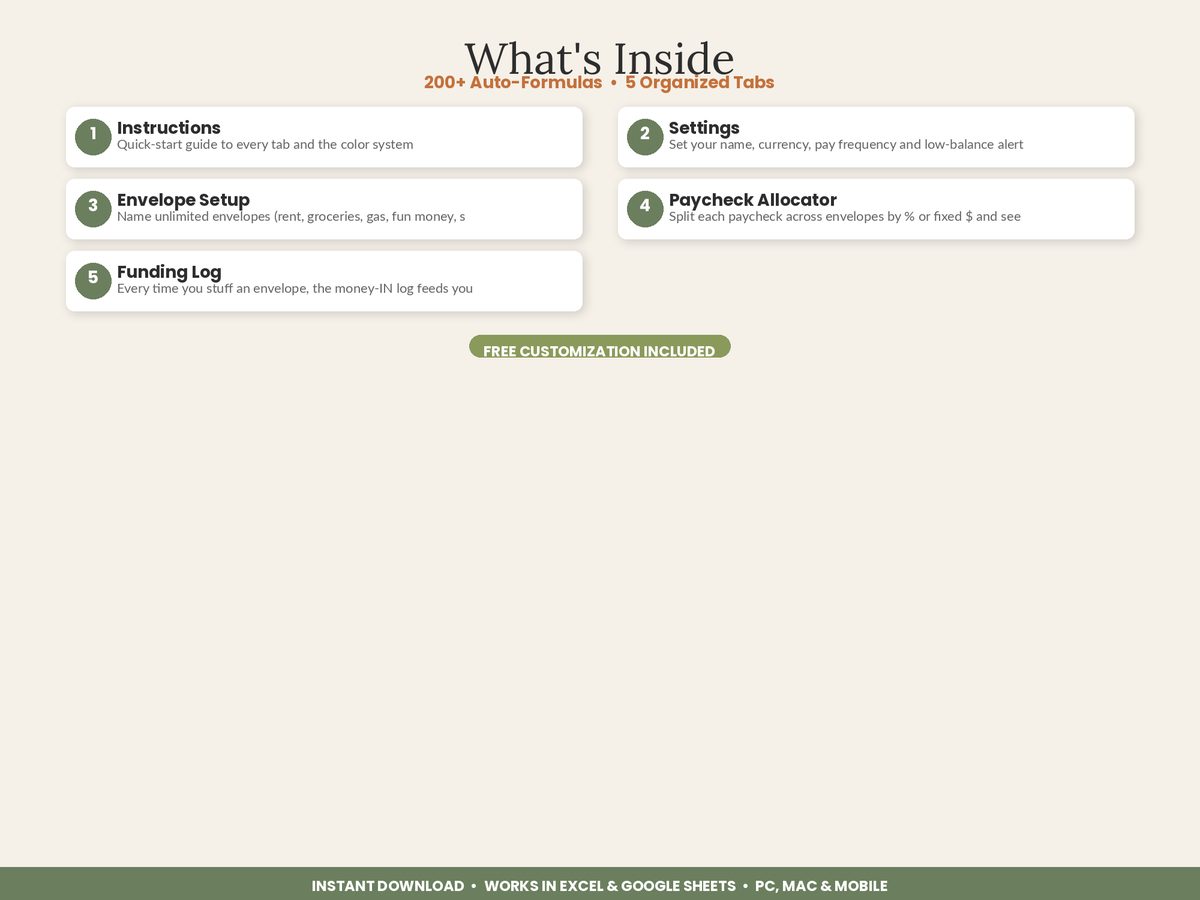
The digital cash stuffing method, step by step
Here’s the full workflow. You can run it on paper, in a plain spreadsheet you build yourself, or in a ready-made tracker. The logic is identical either way.
Step 1 — List your envelopes
Write down every category where your spending is variable and prone to creeping over. Don’t envelope your fixed bills (rent, insurance, subscriptions) — those are set amounts on autopay and don’t need the discipline. Envelope the categories where you actually leak money.
A solid beginner set:
- Groceries
- Gas / transport
- Eating out & coffee
- Fun / personal spending
- Household & toiletries
- Car maintenance (a sinking fund)
- Gifts / Christmas (a sinking fund)
Step 2 — Set a monthly target for each envelope
Look at the last two or three months of bank statements and set a realistic target per envelope. Realistic beats aspirational — if you spent $650 on groceries last month, don’t set $400 and guarantee failure. Set $600 and tighten it over time.
Step 3 — Fund the envelopes on payday (“stuffing”)
This is the digital “stuff.” When you get paid, you divide the paycheck across your envelopes — either by a fixed dollar amount or by a percentage. Instead of physically inserting cash, you record the allocation. The money stays in your checking account; the spreadsheet now knows that, say, $300 of that balance belongs to Groceries and is not available for anything else.
Step 4 — Log spending against the right envelope
Every time you buy something, record it against its envelope. Bought $54 of groceries? Log it, and the Groceries envelope drops from $300 to $246. This is the step that recreates the “watching the envelope empty” feeling — except the math is automatic and you can do it from your phone at the checkout.
Step 5 — Check balances before you spend, not after
The whole point is to look before you buy. Before dinner out, glance at the Eating Out envelope. $12 left? That’s a home-cooked night. This one habit — check first — is where the savings actually come from.
Step 6 — Roll over or sweep at month-end
At the end of the month, envelopes with money left can roll that balance forward (great for sinking funds like car maintenance) or you can sweep the surplus into savings. Either way you review: did each envelope hold? Where did you overspend? Adjust next month’s targets and repeat.
A worked example you can copy
Let’s make this concrete. Say your take-home pay is $3,200 a month, paid in one lump on the 1st. Here’s a complete digital stuffing plan.
| Envelope | Monthly target | How it’s funded |
|---|---|---|
| Rent (fixed, not enveloped) | $1,200 | Autopay from checking |
| Groceries | $600 | Stuffed on payday |
| Gas / transport | $200 | Stuffed on payday |
| Eating out & coffee | $180 | Stuffed on payday |
| Fun / personal | $150 | Stuffed on payday |
| Household & toiletries | $120 | Stuffed on payday |
| Car maintenance (sinking) | $100 | Stuffed on payday |
| Christmas (sinking) | $80 | Stuffed on payday |
| Savings | $370 | Swept on payday |
| Total allocated | $3,000 + $1,200 rent | = $3,200 fully assigned |
Every dollar now has a job — that’s a “zero-based” digital budget. Nothing is floating. Now watch a week play out in the Groceries envelope, funded at $600:
- Start of month: $600
- Big shop, $142 → $458
- Midweek top-up, $38 → $420
- Weekend shop, $96 → $324
- Forgot milk, $9 → $315
You’re three weeks in with $315 left and one week to go — comfortably on track. Meanwhile your Eating Out envelope has $30 left with a week to go, so you already know the last few dinners are home-cooked. No spreadsheet-building, no mental math at the register — just look at the number and decide. That’s the entire method.
Copy-ready starter checklist
Here’s a checklist to set up your own digital cash stuffing system in one sitting:
- [ ] Pull your last 2–3 bank statements
- [ ] List 5–8 variable-spending categories (not fixed bills)
- [ ] Set a realistic monthly target for each, based on real history
- [ ] Note your take-home pay and pay frequency
- [ ] Decide fixed-dollar vs percentage funding for each envelope
- [ ] “Stuff” (allocate) each envelope on your next payday
- [ ] Log every purchase against its envelope for 30 days
- [ ] Check balances before spending, every time
- [ ] At month-end, review, roll over sinking funds, sweep surplus to savings
- [ ] Adjust targets and repeat
Do that for one month and you’ll know exactly where your money goes — usually for the first time.
Where a spreadsheet beats both paper and an app
You can absolutely build this in a blank spreadsheet, but the parts that trip people up are the formulas: subtracting each spending log entry from the right envelope, splitting a paycheck cleanly, flagging an overspent envelope, and rolling unspent balances into next month. Get one formula wrong and the whole system quietly lies to you.
That’s the exact problem our Cash Stuffing & Cash Envelope Budget Tracker is built to remove. It’s a nine-tab Excel and Google Sheets file where you name unlimited envelopes, split each paycheck by percentage or fixed dollars with a “left to allocate” check, and log spending from dropdown menus — every balance updates itself. The Envelope Dashboard colour-codes each envelope green, yellow, or red so an overspend is impossible to miss, unspent cash rolls over automatically, and an Annual Savings scoreboard totals everything your sinking funds set aside. Sample data is pre-filled so you can see how all nine tabs connect, then type over it with your own.
Unlike budgeting apps, there’s no monthly fee and no bank-login connection — your data stays in your own file. Unlike paper, the math is done for you and nothing can be lost or stolen.
Dig deeper into your situation
Cash stuffing looks different depending on how you’re paid and what you’re trying to do. These focused guides go deeper:
- If your income changes week to week, read the cash stuffing method for irregular income.
- If you’re using envelopes to kill a balance, see the cash envelope system to pay off credit card debt.
- To handle big once-a-year costs, learn cash stuffing sinking funds for annual expenses.
- Deciding whether to go paperless at all? Compare digital cash envelopes vs the paper envelope system.
The bottom line
Cash stuffing works because it gives every dollar a job, a hard limit, and constant visibility. None of that requires you to withdraw a single bill. Set up your envelopes, fund them on payday, log spending against them, and check before you buy — do it digitally and you keep your real money safe in the bank while getting all the discipline that made the method famous.
Featured on ReadySheetGo
The Cash Stuffing & Cash Envelope Budget Tracker turns this whole system into a done-for-you file: 9 tabs, unlimited envelopes, a paycheck allocator that splits by % or fixed $, a live colour-coded dashboard, automatic rollover, and an annual savings scoreboard. Works in Excel and Google Sheets, on desktop or phone. Pre-filled samples included. Instant digital download — $13.99.
Frequently Asked Questions
Can you do cash stuffing without actually using cash?
Yes. Digital cash stuffing keeps your real money safe in the bank while you 'stuff' envelopes on a spreadsheet or app instead of in paper sleeves. You assign each dollar to a named envelope, then log spending against it so the balance drops in real time. You get the discipline of the envelope system — every dollar has a job and you stop when an envelope hits zero — without withdrawing cash, carrying it around, or losing it.
Is digital cash stuffing as effective as the real cash version?
For most people it is more effective. The reason paper cash stuffing works is friction and visibility: you physically see the envelope emptying. A digital tracker recreates that by turning an envelope red the moment you overspend and updating balances instantly, while adding automatic math, paycheck splitting, and rollover that paper can't do. The one thing it removes is the risk of lost or stolen cash.
How much cash do you need to start cash stuffing digitally?
Zero withdrawal is required. You only need to know your take-home pay and your regular expenses. You allocate that income across digital envelopes on payday and spend from your normal debit card or bank account, logging each purchase against the right envelope. The 'cash' never leaves your bank — you're just tracking which portion is spoken for.
What envelopes should a beginner set up first?
Start with your five to eight biggest and most variable categories rather than trying to budget everything. Common starter envelopes are groceries, gas or transport, eating out, fun money, and one or two sinking funds like car maintenance or Christmas. Fixed bills like rent and insurance can stay on autopay outside the envelope system so you focus the method where overspending actually happens.