How to Track Multiple Buy Now Pay Later Payments in One Place
You check out on one site with Klarna, another with Afterpay, and a third with Affirm — each time it feels like a small, separate decision. Split into four, no interest, due in two weeks. Easy. Then two weeks later, three of those “easy” payments land on the same day your rent is due, and you’re scrambling to figure out which app charges which card and how much is actually coming out.
That’s not a willpower problem. It’s a visibility problem. Buy Now, Pay Later was built so each purchase feels contained inside its own app — Klarna shows you your Klarna balance, Afterpay shows you your Afterpay balance, and neither one has any idea the other exists. The moment you’re running more than one plan at a time, your real total obligation lives nowhere except your own memory, until you write it down somewhere all four platforms can’t see: one place, outside any of their apps, that holds every plan at once.
Full walkthrough of the template used in this guide.
Why BNPL is specifically hard to track
A single line of credit — one credit card, one personal loan — is easy to track because there’s exactly one statement, one due date, one balance. BNPL breaks that model in three ways at once:
- It’s split across platforms. Klarna, Afterpay, Affirm, PayPal Pay in 4, and Zip all compete for the same checkout button, so a normal shopper who buys from more than one retailer over a few months can easily end up with plans open on three or four of them without ever “applying” for anything.
- Every plan has its own calendar. A four-installment plan checked out on a Tuesday pays out every two weeks from that Tuesday — not on the 1st and 15th, not aligned to your paycheck, just tied to whatever day you happened to click “buy.” Four plans opened on four different days means four independent due-date calendars running at once.
- The dollar amounts are small enough to feel invisible. A $35 installment doesn’t register as “debt” the way a $400 credit card minimum does, so it’s easy to approve one more Pay-in-4 checkout without mentally adding it to a running total — even though four or five of those small installments add up to a real monthly obligation.
None of that is a flaw in any one platform. It’s the predictable result of using several independent systems to manage one financial life.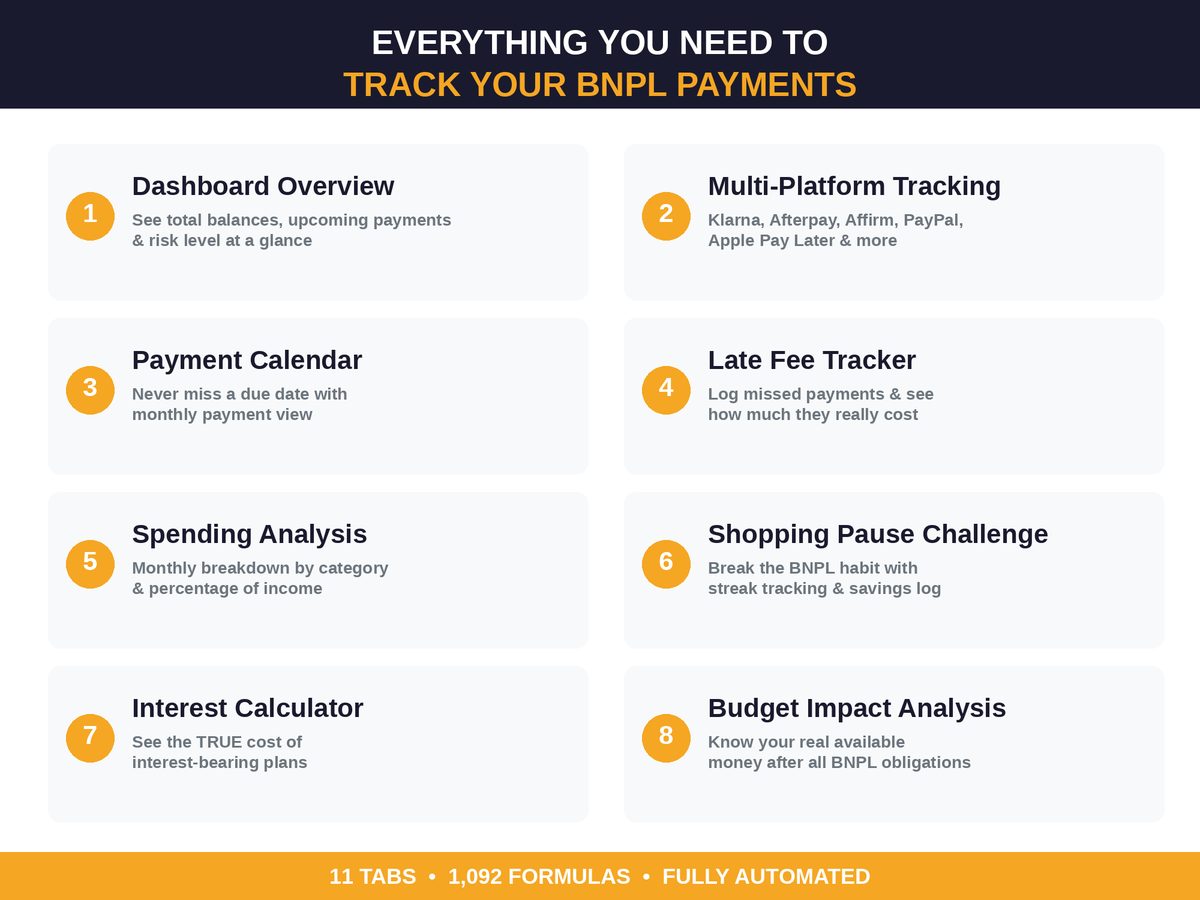
The fix: one row per plan, everything else derived
The method is the same one that works for tracking anything scattered across multiple accounts — bank statements, subscriptions, side income — and it comes down to a single table with these columns:
| Column | What it captures |
|---|---|
| Platform | Klarna, Afterpay, Affirm, PayPal Pay in 4, Zip, etc. |
| Retailer / item | What was purchased |
| Purchase date | When the plan started |
| Total amount | The full price financed |
| Installments remaining | How many payments are left |
| Amount per installment | What comes out each time |
| Next due date | The single most important column |
| Status | On track, due soon, or overdue |
Once every active plan has a row, three numbers fall out automatically that no single BNPL app will ever show you: your total outstanding BNPL balance across every platform, your total due in the next 7 days regardless of which app it’s coming from, and your monthly BNPL commitment — the number that actually belongs in a budget.
Worked example: four plans, one week
Here’s a hypothetical shopper, Dana, with four active plans opened over the course of a month. The numbers below are a made-up example to show the method — plug in your own plans and dates to see your real total.
| Platform | Item | Total | Paid so far | Remaining | Next payment | Next due date |
|---|---|---|---|---|---|---|
| Klarna | Sofa | $600 | $150 | $450 | $150 | Oct 3 |
| Afterpay | Sneakers | $120 | $60 | $60 | $30 | Oct 4 |
| Affirm | Laptop (0% APR, 12 mo.) | $840 | $140 | $700 | $70 | Oct 6 |
| PayPal Pay in 4 | Groceries splurge | $80 | $20 | $60 | $20 | Oct 8 |
Look at what one week of October actually costs Dana: $270 across four separate apps in a six-day span ($150 + $30 + $70 + $20), none of which shows up as a single number anywhere until she adds it herself. Her total outstanding balance across all four plans — the number a lender would call her BNPL debt — is $1,270. Neither figure exists inside Klarna’s app, Afterpay’s app, Affirm’s app, or PayPal’s app. It only exists the moment she puts all four rows in one place.
This is also where a tracker earns its keep beyond just listing dates: with every plan visible together, Dana can see that Oct 3, 4, 6, and 8 are all payments due inside the same week — information that changes when her next paycheck needs to cover them, and whether she should hold off opening a fifth plan until a couple of these roll off.
Setting it up in under ten minutes
- Open every BNPL app you have an account with — Klarna, Afterpay, Affirm, PayPal, Zip, Sezzle — and pull up the active plans screen in each one.
- Add one row per plan using the columns above. Most apps show total amount, amount paid, and next due date right on the plan summary, so this is copy work, not math.
- Sort by next due date, not by platform. The platform doesn’t matter to your bank account; the date does.
- Total the “amount per installment” column for anything due in the next 7 and 30 days. That 30-day total is the number to actually put in your monthly budget under a line called “BNPL payments,” instead of leaving it scattered across four apps where it never gets budgeted at all.
- Recheck weekly. BNPL schedules move fast — four biweekly plans opened on different days mean a new due date shows up every few days, so a monthly check-in isn’t often enough.
Beyond the due-date list: the four things a spreadsheet tracker adds
A sticky note with due dates solves the “what’s coming due” problem. A dedicated spreadsheet solves four more: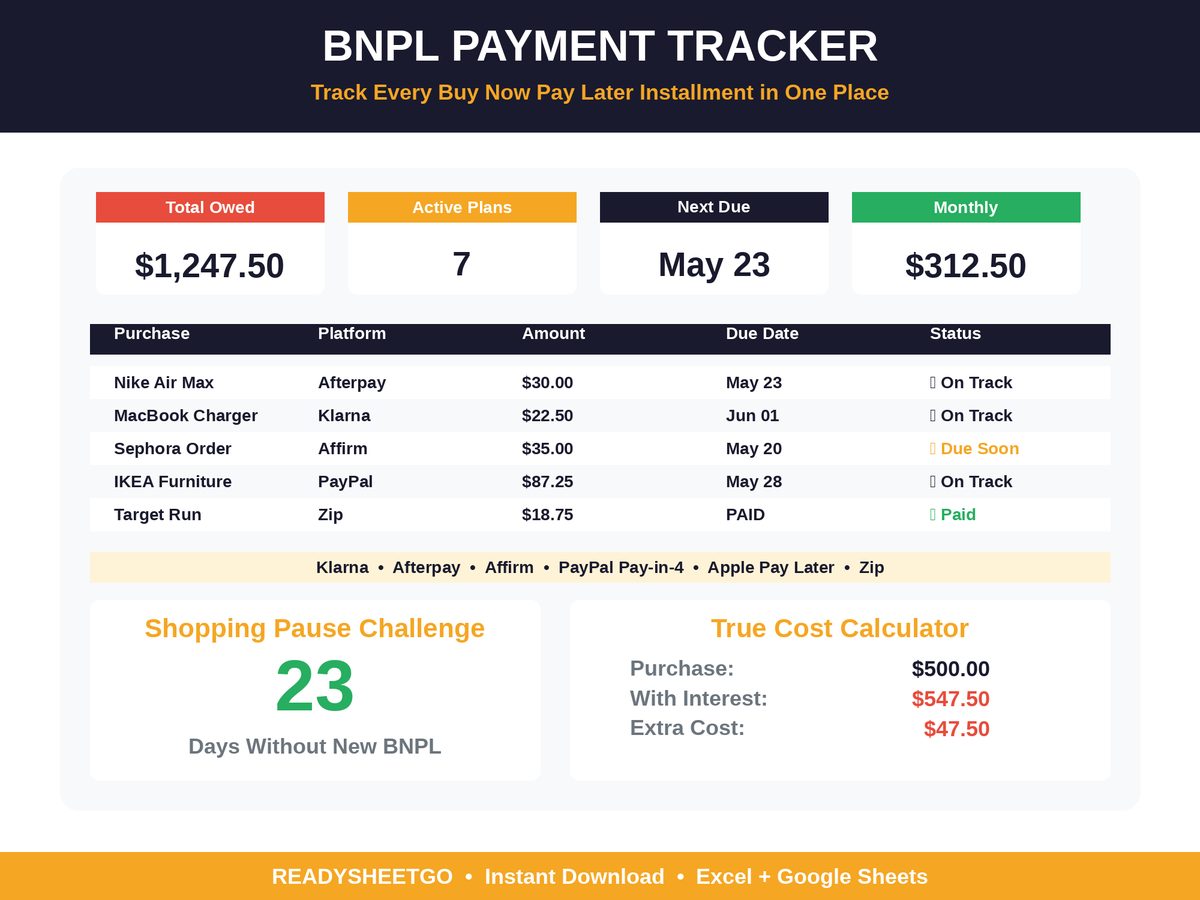
- True cost tracking. Most Pay-in-4 plans are 0% interest, but Affirm and some longer-term plans charge real APR. An interest calculator that runs the amortization shows the actual dollar cost of financing versus paying upfront — the true cost of a missed or interest-bearing BNPL payment is often bigger than it looks at checkout.
- Provider comparison. If Klarna, Afterpay, and Affirm are all offered at the same checkout, knowing which one actually costs less before you pick one saves money on every purchase going forward, not just this one.
- A ceiling on how many plans is too many. Four small plans can quietly add up to a real percentage of take-home pay — working out your own BNPL-to-income ratio turns “I have a lot of these right now” into an actual number you can act on.
- A record of what actually goes wrong. The same handful of setup mistakes — not reading the schedule, opening a new plan to pay off an old one, forgetting a plan tied to an auto-pay card that’s since expired — account for most of the damage BNPL does to a budget, and they’re avoidable once they’re named.
Put it on autopilot
You can build the table above from scratch in fifteen minutes and it will work. But the parts that get tedious over months of use — recalculating the running balance every time you log a payment, flagging a plan as “due soon” versus “overdue,” summing what’s due this week across every platform, working out the true interest cost on the one plan that isn’t 0% — are exactly what a purpose-built tracker automates.
The Buy Now Pay Later Tracker Spreadsheet is built around this exact structure. An Active Plans tab holds one row per installment plan across every platform — Klarna, Afterpay, Affirm, PayPal Pay in 4, Apple Pay Later, and Zip — and returns remaining balance and status (On Track, Due Soon, Overdue) automatically. A Payment Calendar lays every due date out on a single month view regardless of which app it came from, a Platform Summary totals what you owe on each provider separately, and a Dashboard rolls all of it into one number: total outstanding balance, active plan count, and your next payment due date, in one place none of the four apps will ever show you together.
Featured on ReadySheetGo
Buy Now Pay Later Tracker Spreadsheet — $9.99
11 tabs, 1,092 automatic formulas. Tracks every plan across Klarna, Afterpay, Affirm, PayPal Pay in 4, Apple Pay Later and Zip in one dashboard, with a payment calendar, late fee tracker, interest calculator, and a shopping-pause streak tracker to slow down new plans. Works in Excel and Google Sheets.
The bottom line
BNPL isn’t hard to track because the math is complicated — a four-payment plan is simple arithmetic. It’s hard to track because the math is scattered across however many apps you’ve clicked “buy now, pay later” inside of, and none of them talk to each other. The fix is the same one that works for any scattered financial picture: one row per plan, sorted by due date, totaled weekly. Do that by hand in a notebook or let a spreadsheet carry the running balance for you — either way, the moment every plan is in one place is the moment you stop being surprised by what’s coming out of your account next.
Frequently Asked Questions
What is the best way to track Buy Now, Pay Later payments?
List every active plan in one place — platform, item, total owed, amount already paid, and the exact due date of the next installment — rather than relying on four separate apps to remind you. A single running list is the only way to see your true total BNPL balance and catch overlapping due dates before they collide with a paycheck.
Do Klarna, Afterpay, and Affirm show up in one app?
No. Each provider only shows you your balance and schedule inside its own app or account portal — there is no single dashboard that automatically pulls all of them together. If you use more than one BNPL service, seeing the full picture means recording each plan's numbers yourself in one place, such as a spreadsheet or tracker.
How many Buy Now, Pay Later plans is normal to have at once?
There's no fixed 'normal' number, since it depends on income and what's being financed, but the more active plans you're running, the harder they are to track by memory alone. The practical threshold isn't a specific count — it's the moment you can no longer name every plan, its balance, and its next due date without opening an app to check.
Is Buy Now, Pay Later the same as a credit card?
No. Most BNPL 'Pay in 4' plans split one purchase into four payments with no interest charged, unlike a revolving credit card balance that can carry interest indefinitely. But BNPL still creates real payment obligations with real due dates and, on some platforms, late fees — so it functions like short-term installment debt even though it doesn't work like a credit card.